
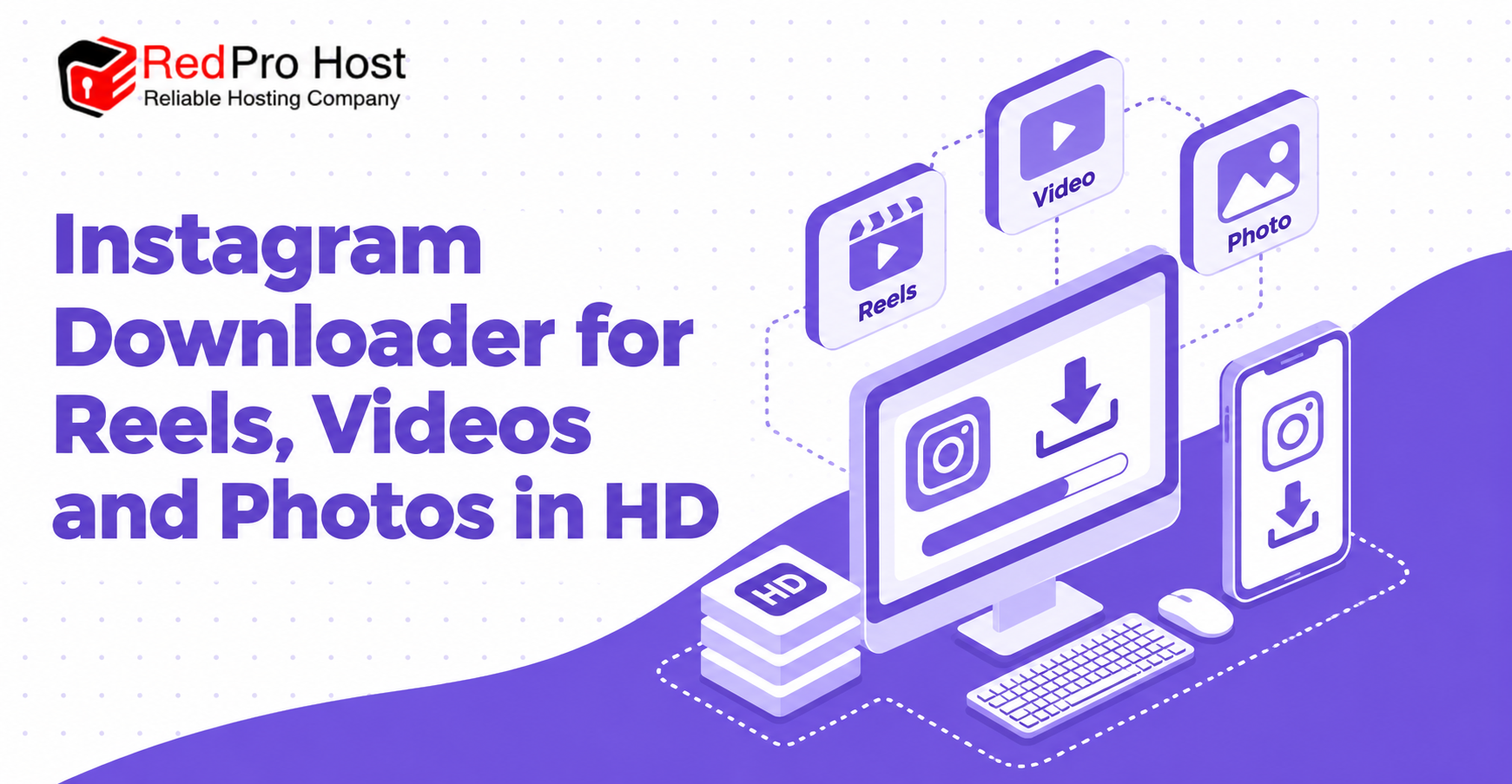
An Instagram downloader provides a simple way to save publicly available Reels, videos, photos, and supported carousel posts to your device. Instead of relying on screen recordings or screenshots, you can copy the link to a public post, paste it into the download field, and save the available media in its original or highest supported quality.
The process should not require an Instagram login, browser extension, or separate application. A reliable downloader also explains its limitations clearly: it can process public content, but it cannot unlock private accounts, retrieve deleted posts, or guarantee a resolution that the source does not provide.
This guide explains how Instagram downloaders work, which content types they support, how to preserve media quality, how to solve common errors, and how to download content safely and responsibly.
Table of Contents
ToggleWhat Is an Instagram Downloader?
An Instagram downloader is an online tool that converts the link to a public Instagram post into one or more downloadable media files. Depending on the source post, the result may be an MP4 video, a JPG image, or several files from a carousel.
The tool acts as a convenient bridge between a public Instagram URL and the media already associated with that page. It does not create new content, improve the original recording, or grant ownership of the downloaded material.
How an Instagram Downloader Works
When you paste a valid post URL, the downloader analyzes the public page and identifies the media files made available for that post. It then prepares a download option that your browser can save to local storage.
The exact process varies among services. Some provide one file immediately, while others display a preview and let you choose between available files or quality levels. Processing speed depends on the post type, file size, source availability, server demand, and your connection.
How Downloading Differs From Screen Recording
Screen recording captures what appears on your display in real time. It may include interface elements, notifications, black borders, reduced frame rates, or lower audio quality. It also requires the entire video to play before the recording is complete.
Direct downloading is usually faster and can preserve a cleaner copy of the media made available by the source. However, it cannot recover quality that has already been reduced through compression or low-resolution uploading.
When an Online Downloader Is Useful
An online downloader can help you back up your own posts, save a tutorial for offline reference, preserve approved campaign assets, or retain public material for permitted research. It is especially convenient on a device where you do not want to install another app.
The ability to download a file does not automatically make every use acceptable. Permission, copyright, privacy, platform rules, and the purpose of reuse still matter after the file reaches your device.
How to Use the Instagram Downloader
Most Instagram downloaders follow the same basic workflow. You copy the URL of a public Reel, video, photo, or carousel, paste it into the tool, and choose the available download result.
Step 1: Copy the Instagram Post Link
Open the public Instagram post you want to save and locate its sharing options. Choose the option to copy the link so the full post URL is placed on your clipboard.
Copy the link to the individual post rather than the account’s profile page. A profile link identifies an account but usually does not tell the downloader which specific Reel, photo, or video you want.
Step 2: Paste the URL Into the Download Field
Open the downloader in a current web browser and paste the copied URL into the input field. Check that the link is complete and does not contain extra text copied from a message or caption.
A valid URL should point to Instagram and identify a supported public post. Avoid entering usernames, passwords, recovery codes, or other account information because a public-media downloader should not need them.
Step 3: Start Processing the Link
Select the download or process button after confirming the URL. The tool will attempt to find the media connected to the public post and prepare the available result.
Processing may take several seconds, especially for longer videos or multi-item carousels. Repeatedly pressing the button can submit duplicate requests, so allow the first request time to finish before trying again.
Step 4: Choose the Available Media File
When processing is complete, the page may display a preview, a direct download button, or multiple files. Select the file that matches the content you intend to save.
If quality choices are offered, compare the resolution and file size before downloading. A larger file may contain a higher-resolution version, but the labels should be treated as available options rather than a promise of quality beyond the source.
Step 5: Save and Organize the Download
Your browser may save the file automatically to its default downloads folder or ask you to choose a location. On a phone, the file may appear in Downloads, Files, Photos, or the browser’s media folder, depending on device settings.
Rename important files with useful, non-misleading labels and place them in an appropriate folder. Good organization makes it easier to distinguish your own media from reference material created by someone else.
Supported Instagram Content
A versatile Instagram downloader can process several common public post formats. Support may differ by service and can change when Instagram updates its page structure or media delivery methods.
Instagram Reels
Reels are short-form vertical videos that may include audio, captions, effects, and overlays. A downloader generally saves the video stream available for the public Reel.
The saved file may not include every interactive element visible in the app. Polls, product links, comments, captions outside the video frame, and other interface features are separate from the core media file.
Instagram Video Posts
Public feed videos can often be downloaded in the same way as Reels. Copy the direct post URL and submit it through the download field.
Video length, encoding, and source quality affect the resulting file. If Instagram only provides a compressed version, the downloader cannot reconstruct the uncompressed original captured by the creator.
Instagram Photos
Public photo posts may be available as JPG or another common image format. A downloader can be more convenient than taking a screenshot because the result does not include visible browser controls or unrelated areas of the display.
The downloaded image may still differ from the creator’s original camera file. Instagram can resize or compress uploaded images, and a downloader can only offer the version available from the platform.
Instagram Carousel Posts
Carousels contain multiple photos, videos, or a combination of both within one post. A compatible downloader may display each item separately so you can save all supported slides or select only the files you need.
Check the number and order of results before leaving the page. Some tools support only part of a carousel, particularly when image and video formats are mixed.
Content That May Not Be Supported
Private posts, deleted media, Close Friends content, temporary Stories, live broadcasts, age-restricted pages, and region-restricted material may be unavailable. A particular tool may also lack support for newer or less common formats.
Failure to retrieve restricted content is not evidence that the tool is broken. In many cases, the source is not publicly accessible or cannot be processed without authenticated access that a no-login downloader should not request.
Download Quality and Available Formats
Media quality is one of the most important considerations when downloading an Instagram post. The best available result depends on what the platform provides for that specific piece of content.
Understanding HD Video Quality
HD commonly refers to video with a resolution such as 720p or 1080p, but labels can vary. Resolution alone does not determine overall quality; bitrate, frame rate, encoding, source lighting, and previous compression also influence the result.
A downloader may attempt to retrieve the highest available stream, but it should not promise Full HD for every post. Older uploads, low-resolution recordings, and highly compressed files may remain below 1080p.
Why Downloaded Quality Can Vary
Instagram processes uploaded media for efficient playback across different connections and devices. The version available for download may therefore be compressed, resized, or encoded differently from the creator’s original file.
Quality can also vary because the platform supplies multiple versions for different devices or network conditions. A downloader can select from those available versions, but it cannot add authentic detail that is absent from the source.
Common Video and Image Formats
Instagram videos are commonly delivered in web-compatible formats such as MP4, while photos are often available as JPG images. File extensions and codecs can vary according to the post and the processing method.
Choose a format your device and editing software can open. If conversion is needed, keep the first downloaded file as a reference because repeated conversions can reduce quality.
What No Added Watermark Means
No added watermark means the downloader does not place its own logo, URL, or promotional label over the downloaded file. It does not mean that a watermark already embedded by the creator or present in the source will be removed.
Creator-applied marks should remain intact. Removing ownership indicators or presenting another person’s work as your own can be misleading and may violate rights or usage agreements.
Why Use an Instagram Downloader?
An Instagram downloader can make approved media easier to access offline, organize, study, or archive. Its usefulness depends on the purpose and whether you have the right to save and reuse the material.
Back Up Your Own Instagram Content
Creators can use a downloader to keep convenient copies of their own published Reels, videos, and photos. This may help when changing devices, organizing a portfolio, or preserving material after the original project files have been moved.
A downloader should not be your only backup system. Keep original, high-quality files in reliable local and cloud storage because platform copies may be compressed or unavailable later.
Save Tutorials for Offline Reference
Public tutorials can be useful when you expect to work without a stable internet connection. Saving an approved copy allows you to review steps without repeatedly streaming the video.
Keep the creator’s name and original link with your notes so you can return to the source, verify updates, and provide appropriate credit when discussing the material.
Collect Approved Creative References
Designers, marketers, students, and researchers sometimes collect public examples for private reference, analysis, or an approved project. Downloading can preserve the visual context more effectively than scattered screenshots.
Reference collection should not become unauthorized republication. Use the material to inform your work, not to copy a creator’s finished output or misrepresent it as your own.
Avoid Installing Extra Software
A browser-based downloader can complete a simple task without an application, extension, or APK. This saves device space and reduces the need to grant permissions to unfamiliar software.
Using a website still requires judgment. Check the site’s privacy information, security indicators, advertisements, and download behavior before submitting links or opening files.
Download Across Different Devices
Online downloaders can work on phones, tablets, laptops, and desktop computers through a modern browser. The general copy-and-paste process remains similar across devices.
File-saving behavior differs by operating system. Mobile users may need to open a Files or Downloads app, while desktop users can usually choose a destination through browser settings.
Public and Private Content Limitations
A responsible Instagram downloader works within public-access boundaries. It should explain these limits instead of promising access to media protected by account settings or other restrictions.
Public Posts Can Usually Be Processed
A post is generally eligible when it can be opened publicly through a direct URL and uses a format supported by the downloader. Availability can still change if the creator deletes the post, modifies account privacy, or restricts the audience.
Public access does not transfer copyright or create unlimited reuse rights. It only means the content is viewable without follower approval at that moment.
Private Accounts Cannot Be Bypassed
Posts from private accounts are limited to approved followers. A legitimate public downloader cannot override that setting or provide hidden access to private media.
Avoid sites that claim they can unlock private profiles after a survey, payment, login, or software installation. These promises are common warning signs for credential theft, unwanted subscriptions, spam, or malicious files.
Deleted and Expired Media May Be Unavailable
If a creator removes a post, its previous URL may stop providing access to the media. Temporary formats can also expire or disappear unless the creator preserves them through an available feature.
A downloader is not a guaranteed archive of everything ever posted. If you need to preserve your own work, maintain independent backups before deleting or changing the original publication.
Regional and Age Restrictions Can Affect Access
Some posts may be restricted by location, age, music licensing, or other audience conditions. A downloader may be unable to process those URLs even when the post works for certain users inside the official app.
Do not attempt to evade legal or safety restrictions. If content is unavailable in your region or to your account, respect the limitation and seek an authorized source.
Safe and Responsible Downloads
Downloading public media is technically simple, but safe use requires attention to credentials, privacy, copyright, and downloaded files. A few checks can prevent most common problems.
Never Share Your Instagram Password
A downloader for public posts should not require an Instagram username, password, two-factor authentication code, recovery code, or browser session cookie. These details can provide access to your account.
If a page unexpectedly asks for credentials, leave it and use the official Instagram service for account tasks. If you already entered sensitive information on a suspicious page, change your password and review active sessions through official account settings.
Review Privacy and Data Practices
Read the privacy policy to understand how submitted URLs, IP addresses, cookies, analytics data, and server logs are handled. Specific collection and retention explanations are more meaningful than broad claims of complete anonymity.
Remember that “no local file upload” does not necessarily mean no data processing. The URL still has to be submitted, and a server may temporarily process information to retrieve the remote media.
Watch for Misleading Download Buttons
Advertising networks can display buttons that resemble the real download control. Before clicking, check whether the label belongs to the tool result or an advertisement.
Avoid prompts to install unrelated software, allow unnecessary notifications, or download executable files. Instagram media should normally arrive as a recognizable video or image file, not as an unknown program.
Respect Copyright and Permission
The original creator may own the copyright in a photo or video even when it is publicly visible. Downloading does not grant permission to repost, sell, edit, distribute, or use the work in an advertisement.
The safest practice is to download your own content or obtain clear permission from the rights holder. Preserve attribution when required and follow any agreed limits on editing, publication, or commercial use.
Scan Unexpected Files Before Opening
Confirm that the downloaded file type matches the expected media. A video should not arrive as an executable installer, and an image download should not require a browser extension to open.
Keep your browser and security software updated. If a file has an unusual extension, unexpected size, or suspicious name, do not open it until you have verified its source and scanned it appropriately.
Common Instagram Download Problems
Download failures are often caused by an invalid URL, private account, deleted post, unsupported format, source restriction, or temporary service issue. The error message should help identify the next step.
The Instagram Link Is Invalid
An incomplete or incorrectly copied URL cannot identify the intended post. Copy the link again from the post’s sharing options and remove any unrelated text surrounding it.
Make sure you copied a direct post, Reel, or supported media URL rather than a profile, search, login, or messaging link. Shortened links may need to resolve correctly before processing.
The Post Is Private
A post from a private account cannot be processed through a public no-login downloader. Even if you can view the post while signed in as an approved follower, the downloader may not share that authenticated access.
Do not submit account credentials to overcome the restriction. Ask the creator for the original file or another authorized copy instead.
The Media Was Deleted or Restricted
A URL may remain in messages, bookmarks, or search results after the corresponding media has been removed. Region, age, or music restrictions can also prevent the source from being retrieved.
Open the link through the official platform to check whether the post is still available to you. If it is restricted or deleted, the downloader may have no valid file to prepare.
The Download Button Does Not Appear
The page may still be processing the link, or browser settings may be blocking required scripts. Wait briefly, confirm that the connection is active, and try one normal refresh.
If the problem continues, use an updated browser and disable only the extension that is clearly interfering. Do not weaken device security or install unknown add-ons just to reveal a download button.
The Video Quality Is Lower Than Expected
The downloaded result may reflect the best version currently available from the source rather than the creator’s original upload. Older posts and heavily compressed videos can have lower resolution or bitrate.
If multiple options are shown, choose the highest available resolution before downloading. Repeatedly converting or re-uploading the file will not restore lost detail and may lower quality further.
A Carousel Is Missing Items
Mixed carousels can contain several images and videos, and a downloader may not support every slide. Wait for all previews to load and check whether the results can be downloaded individually.
If files remain missing, the carousel format may be unsupported or partially restricted. Avoid assuming that one downloaded file represents the entire post.
The Download Stops or Fails
Interrupted downloads can result from connection loss, insufficient storage, browser restrictions, expired file links, or temporary server demand. Confirm that your device has enough free space and retry once on a stable connection.
Large videos may take longer than images. If repeated attempts fail, wait before trying again because rapid submissions can trigger temporary rate limits.
Instagram Downloader FAQs
These frequently asked questions address login requirements, media quality, supported devices, private posts, watermarks, bulk downloads, and reuse rights.
Is the Instagram Downloader Free?
Many browser-based downloaders provide basic processing without a charge, although some may use advertising or offer paid features. Review the pricing and subscription terms before entering payment details.
Do I Need an Instagram Account?
A no-login downloader should process supported public post URLs without connecting to your Instagram account. Private or otherwise restricted posts remain unavailable through public access.
Can I Download Reels in Full HD?
You may be able to download an HD version when Instagram makes one available for that Reel. Resolution varies by source, so Full HD cannot be guaranteed for every link.
Does the Downloader Add a Watermark?
A tool advertising no added watermark should not place its own branding on the result. Any watermark already included by the creator or embedded in the source media may remain visible.
Can I Download Private Instagram Videos?
A legitimate public downloader cannot bypass private-account permissions. Ask the account owner to share the file through an authorized method if you have permission to receive it.
Can I Download Photos and Carousels?
Many downloaders support public single-photo posts and carousels, but the exact feature set varies. Mixed carousels containing both videos and images may produce several separate files or have partial support.
Does It Work on iPhone and Android?
A responsive browser-based tool can work on both iPhone and Android devices without a separate app. The saved file location depends on browser permissions and operating-system settings.
Can I Use the Downloader on a Computer?
Yes, an online downloader can generally run in a current desktop browser on Windows, macOS, Linux, or ChromeOS. The file is usually saved to the browser’s default Downloads folder unless you choose another destination.
Can I Download Several Videos at Once?
Some tools process only one link at a time, while others may support multiple items or carousel files. One-at-a-time processing is often simpler and makes it easier to confirm the correct source and result.
Why Does the Tool Need the Post URL?
The URL identifies the exact public post and allows the service to locate its available media. A username or profile link alone may not specify which photo, video, Reel, or carousel you intend to download.
Is Downloading Instagram Content Legal?
The answer depends on the content, location, purpose, permission, copyright status, and applicable terms. Public visibility does not automatically permit republication or commercial use. Obtain permission when needed and seek qualified legal advice for higher-risk uses.
Can I Repost a Downloaded Reel or Photo?
Downloading a file does not create reposting rights. Ask the creator or rights holder for permission, preserve required credit, and comply with music, image, privacy, advertising, and platform rules before publishing it elsewhere.
Conclusion
An Instagram downloader offers a convenient way to save public Reels, videos, photos, and supported carousel posts without screen recording or installing extra software. The usual process is straightforward: copy the direct post link, paste it into the download field, process the URL, and save the available file.
The quality and availability of each result depend on the source. A downloader cannot guarantee Full HD when Instagram does not provide it, unlock private accounts, restore every deleted post, or remove the need for creator permission.
For a safer experience, use a downloader that does not request account credentials, explains its privacy practices, distinguishes real controls from advertisements, and states its limitations clearly. Download your own media or content you have permission to use, keep creator rights in mind, and treat public access as visibility rather than unrestricted ownership.