
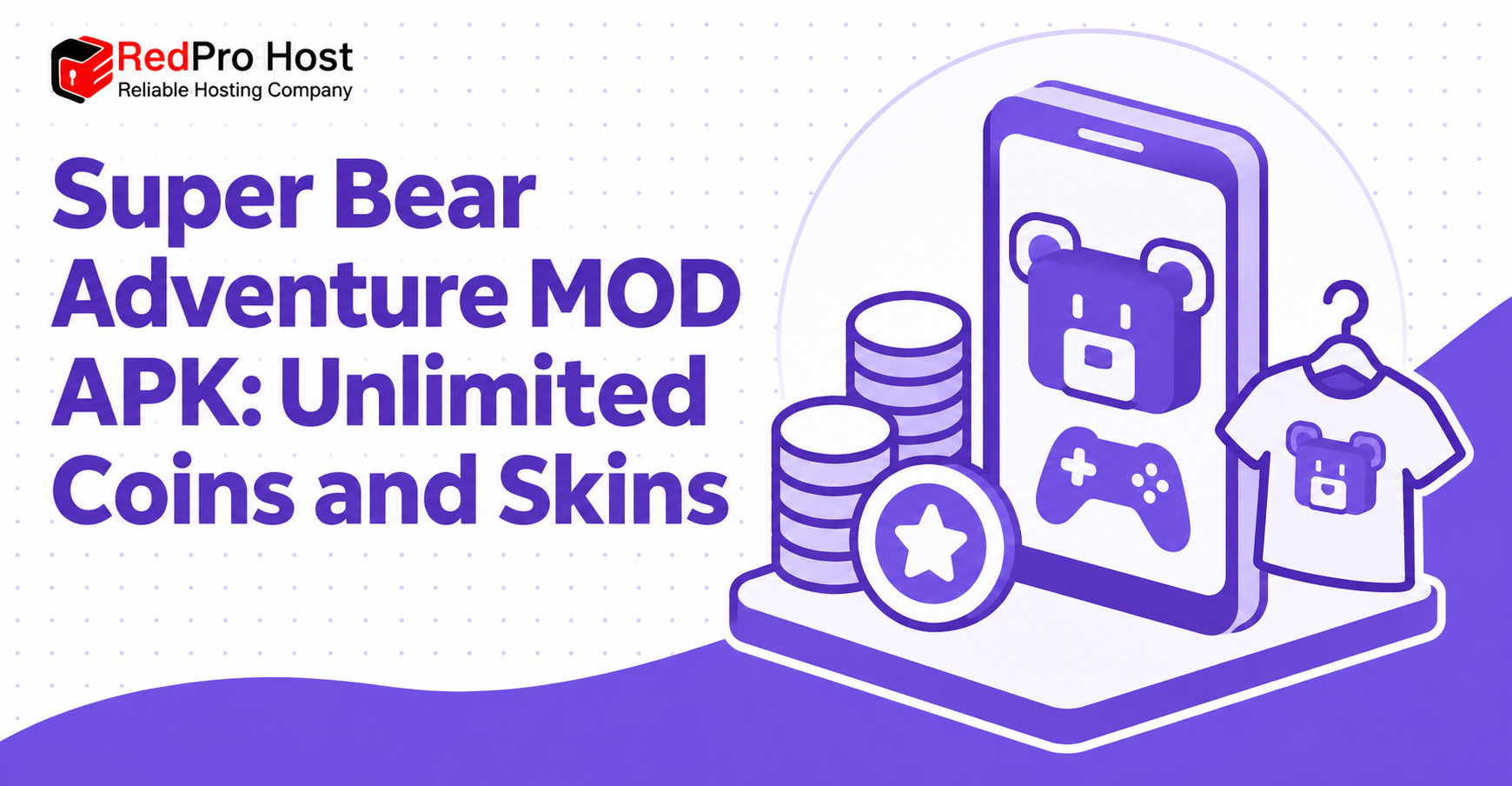
Super Bear Adventure MOD APK is an unofficially modified edition of the colorful 3D platform game starring Baaren, a brave bear who travels across a troubled kingdom to rescue his friends. Modified builds are commonly promoted with unlimited coins, unlocked skins, fewer advertisements, or easier access to content. Those additions can sound convenient, but they are not created, verified, or supported by the original developer.
The game itself combines open exploration, platforming, combat, collectibles, vehicles, puzzles, and character customization. Its accessible controls and bright environments make it easy to start, while secret routes and optional challenges give experienced players more to discover. This guide explains how the official game works, what MOD editions claim to change, what risks an unofficial APK can introduce, and how to make a more informed choice before installing anything.
Table of Contents
ToggleSuper Bear Adventure MOD APK
Super Bear Adventure MOD APK is a changed Android installation package based on the original game. A third party, rather than the game developer, alters the package to remove restrictions or enable content that players would normally earn through gameplay or obtain through legitimate purchases. The word “MOD” describes the modification; it does not indicate approval, authenticity, or security.
In the original adventure, players control Baaren and explore multiple regions affected by mysterious purple honey. The substance turns peaceful creatures into hostile enemies, so Baaren must rescue other bears, overcome hazards, solve environmental challenges, and uncover the source of the problem. The official game emphasizes free exploration and rewards players for checking hidden corners rather than simply following a straight route.
How the Modified Edition Differs
A modified edition changes one or more parts of the standard experience. Common claims include a large coin balance, unlocked cosmetic items, unrestricted shopping, invincibility, or removed advertisements. However, there is no single universal MOD build. Two files carrying the same name may contain different changes, use different signatures, or be based on different game releases.
That inconsistency matters because a feature advertised on a download page may not exist in the actual package. A build may also work initially but fail when it tries to load cloud data, connect to multiplayer services, or access content designed for a newer official release. Players should treat every third-party package as a separate, unverified file rather than assuming all MOD versions behave alike.
Why Players Look for a MOD APK
Most players search for a modified edition because they want faster progression. Collecting currency, completing challenges, and unlocking cosmetic items can take time, so instant access may appear attractive. Other players want to explore levels casually, experiment with different outfits, or avoid interruptions without repeating earlier tasks.
Convenience comes with a tradeoff. Removing progression can weaken the sense of discovery, make rewards feel less meaningful, and create compatibility problems after an update. It can also expose a device or account to risks that are absent when the game is installed through an official store.
Verified MOD Features
There is no developer-approved list of MOD features because modified packages are not official releases. The items below are features frequently advertised by third-party builds, not guarantees about any particular file. A trustworthy evaluation must inspect the exact package, version, signature, permissions, and behavior instead of relying on a generic feature list.
Unlimited Coins
An unlimited-coins modification is intended to remove the need to collect or earn currency before obtaining available items. It may display a very high balance or prevent the balance from decreasing after a purchase. This can make customization quicker, but it may also break progression triggers or shop behavior if the modification does not match the installed game version.
Unlocked Skins and Outfits
Some MOD packages claim to unlock character skins, hats, accessories, and outfits from the beginning. Cosmetic freedom can be fun for players who enjoy changing Baaren’s appearance, but not every cosmetic is necessarily stored or unlocked in the same way. Server-linked, event-based, or paid content may remain unavailable even when ordinary items appear unlocked.
Ad-Free Play
An ad-free modification attempts to remove advertising calls or prevent ad placements from appearing during play. Fewer interruptions may create a smoother session, but editing ad-related code can have unintended consequences. Rewarded-ad bonuses may stop working, menus may behave incorrectly, or the package may replace legitimate advertising code with unknown components.
Invincibility and Easier Exploration
God mode, unlimited health, enhanced jumping, and fly or no-clip controls are sometimes promoted as exploration tools. These changes can make hard areas easier to reach, but they can also bypass scripted events, trap the character outside the intended map, or prevent missions from registering correctly. Players who value puzzles and platforming may also find that these changes remove much of the intended challenge.
What Can Actually Be Verified
A feature is verified only when the exact downloadable file has been tested and documented. Useful evidence includes the package version, cryptographic checksum, signer certificate, scan date, requested permissions, test device, and a clear record of which functions worked. Screenshots and promotional labels alone do not prove that a package contains the claimed features or that it is free from harmful code.
Game Information and System Requirements
Super Bear Adventure is a sandbox-like 3D action-adventure game inspired by platformers from the late 1990s. The official release includes exploration, collectibles, character customization, vehicles, daily challenges, and mini-games. The official Google Play listing is the best external reference for current compatibility, install availability, content rating, data-safety information, and update notes.
Core Game Information
The following overview separates stable game details from information that can change between updates. Store availability, download size, required Android version, and supported devices should always be checked on the official listing immediately before installation.
| Item | Details |
| Genre | 3D action-adventure and platforming |
| Main character | Baaren |
| Main objective | Explore regions, rescue bears, defeat enemies, and uncover secrets |
| Main activities | Platforming, collecting, combat, puzzles, customization, vehicles, and mini-games |
| Official Android source | Google Play |
| MOD status | Unofficial and unsupported |
| Internet use | Some official content can be played offline; connected features may require internet access |
| Updates | Official-store builds receive supported updates; MOD updates depend on third parties |
Android Compatibility
Android compatibility can change as the game and operating system evolve. Instead of trusting a copied requirement from an old download page, open the official store listing on the intended phone or tablet. Google Play normally indicates whether the current release is available for that device and provides the correct download size for the specific hardware configuration.
For smooth play, the device should have enough free storage for the initial installation, extracted game data, updates, and temporary files. Closing memory-heavy background apps may help on entry-level hardware. A stable internet connection is also useful for the first installation, updates, cloud-related functions, and any online or multiplayer features included in the current release.
Storage and Performance Considerations
The space required after installation can be greater than the displayed download size because compressed files expand and updates need temporary working room. Keeping additional free storage reduces the chance of an incomplete update or installation failure. Performance also depends on the processor, graphics hardware, memory, screen resolution, thermal limits, and Android software rather than RAM alone.
A MOD package may perform differently from the official build. Poorly applied edits can cause longer loading times, excessive battery use, crashes, or overheating. These problems should not automatically be blamed on the original game, especially when they appear only after installing a modified package.
Super Bear Adventure MOD APK Gameplay
The core appeal comes from movement and exploration. Players can travel through open areas, climb toward elevated paths, swim, fight enemies, interact with characters, collect useful items, and search for hidden routes. Each region mixes direct objectives with optional discoveries, allowing players to follow the main adventure or investigate at their own pace.
Exploration and Movement
Baaren has a flexible movement set designed for both simple travel and precise platforming. Jumping, climbing, swimming, attacking, and using environmental routes help players move between objectives. Good movement control becomes especially important when reaching collectibles placed on narrow platforms or in concealed areas.
MOD functions such as high jumps or flight can shorten exploration, but they may also skip triggers required to complete a quest. If a mission stops progressing, returning to the intended route and disabling movement-altering functions may help, provided the build offers that control.
Missions, Bears, and Collectibles
Rescuing bears is central to progression. Players are encouraged to speak with characters, solve local problems, defeat enemies, and search beyond obvious paths. Coins and other collectibles support customization and reward curiosity, while hidden chests and optional tasks provide additional reasons to revisit completed regions.
Instantly unlocking rewards changes this loop. Players gain immediate access to cosmetic options, but they lose some of the motivation to investigate each area. Those who enjoy completion goals may prefer earning items normally because every unlock then represents a discovered secret or completed challenge.
Enemies, Bosses, and Challenges
Hostile creatures and bosses add combat to the platforming experience. Encounters often reward observation: learning an attack pattern, choosing the right moment to move, and using space effectively can be more useful than attacking continuously. Hardcore or advanced challenges raise the pressure for players who want more demanding gameplay.
Invincibility can make a difficult fight easier, but it can also remove the need to learn its mechanics. Players seeking accessibility may appreciate a lower barrier, while players who want the intended balance are better served by the official progression and difficulty options available in the current release.
Customization, Vehicles, and Mini-Games
Customization allows players to give Baaren a distinctive appearance with unlockable items. Vehicles change the pace of movement in supported areas, while mini-games and daily challenges add shorter activities outside the main objectives. Together, these systems prevent exploration from feeling limited to jumping and combat alone.
Modified packages often focus on cosmetics because unlocked items create an immediate visual difference. Nevertheless, an unlocked menu does not guarantee that every asset will load or remain available after a save migration, reinstall, or update.
How to Install the APK on Android
The safest installation method is to use the official app store, where the package signature, delivery process, and updates are managed through a recognized platform. Installing a third-party APK requires Android to trust a file obtained outside that system, so the user must accept greater responsibility for checking its source and behavior.
Preferred Official Installation Method
Open Google Play on the Android device, search for the game, confirm the developer and package details, and choose Install. This method delivers the supported build and makes future updates easier. It also reduces the risk of receiving a renamed, outdated, or tampered package from an unknown distributor.
After installation, review the game’s settings and Android permissions. Keep automatic updates enabled if consistent access to bug fixes and compatibility improvements is important. If parental controls or purchase restrictions are needed, configure them through the device and store account before handing the game to a child.
General Sideloading Process and Risks
Android can install an APK outside Google Play when the user grants a selected app permission to install unknown packages. The exact menu name varies by Android version and device manufacturer. Granting this permission does not make the downloaded file safe; it only allows the chosen browser or file manager to start the installer.
Before opening any third-party APK, verify its origin, scan it with reputable security tools, compare its checksum with a clearly published value, and inspect the requested permissions. Do not continue if the file requests access unrelated to gameplay, such as SMS messages, call logs, accessibility services, device administration, or broad background control. Remove the “install unknown apps” permission after sideloading so it is not left enabled unnecessarily.
Protecting Existing Save Data
Back up supported save data before replacing, removing, or updating an installed build. An unofficial package may use a different signature, which can prevent installation over the official version. Removing the existing app to work around that conflict may also delete local progress if it has not been synchronized or backed up.
Never assume that a MOD save will transfer cleanly to a newer MOD or back to the official game. Altered currency, unlocked items, and incompatible data structures can corrupt a save or cause cloud synchronization conflicts. Keeping official and unofficial data separate is safer than repeatedly switching between builds.
Is Super Bear Adventure MOD APK Safe?
No MOD APK can be declared safe as a category. Safety depends on the exact file, who created it, what was changed, where it was hosted, and whether its behavior has been independently examined. Even a file that produces no antivirus warning can contain unwanted tracking, aggressive advertising, hidden downloads, or code that has not yet been identified as malicious.
Security Risks
The most serious risk is tampering. Because a third party must modify and re-sign the package, the original developer’s signature no longer protects the distributed file. Harmful code can be added alongside the promised game changes, and users may not notice it while the game continues to function normally.
Other risks include credential theft, intrusive permissions, background network activity, unwanted subscriptions, data collection, and installation of additional components. Children may be especially vulnerable to misleading prompts, so an adult should review the source, installer, permissions, and in-game behavior.
Account and Update Risks
An unofficial build may violate game or platform terms and can lose access to connected services without warning. Cloud saves, purchases, achievements, multiplayer functions, and account authentication may fail because the package signature or internal data no longer matches the official release.
Updates are another concern. Official builds can receive bug fixes and security improvements through the store, whereas a MOD relies on its distributor to create and publish a compatible replacement. Installing each replacement repeats the trust decision and may require a clean installation that puts saved progress at risk.
Practical Safety Checklist
A checklist cannot guarantee safety, but it can reveal obvious warning signs before installation. Stop if the publisher hides essential details or pressures users to ignore security warnings.
- Confirm the exact package name, version, file size, and update date.
- Require a published SHA-256 checksum for the precise file offered.
- Check the signing certificate and compare it with earlier releases from the same source.
- Scan the file with more than one reputable security engine.
- Review every requested permission and reject unrelated access.
- Avoid files wrapped in separate download managers or password-protected archives.
- Do not sign in with a primary Google, social, or payment account.
- Back up important data and keep Android security updates current.
- Watch for unexpected battery drain, heat, pop-ups, or background data use.
- Prefer the official release whenever the source or file history is unclear.
MOD APK vs Official Version
Both editions may appear to offer the same basic adventure, but their distribution, support, and risk profiles are very different. The official release prioritizes legitimate progression, supported updates, and platform protections. A modified build prioritizes shortcuts, but those shortcuts depend on an unknown third party and may not work consistently.
| Area | MOD APK | Official Version |
| Publisher approval | No | Yes |
| Coins and cosmetics | May be altered or unlocked | Earned or obtained through supported systems |
| Updates | Manual and source-dependent | Delivered through the official store |
| Package signature | Re-signed by a third party | Signed by the official publisher |
| Security confidence | Varies by exact file | Stronger platform and publisher verification |
| Cloud and online features | May fail or create conflicts | Designed for supported services |
| Developer support | Not available for the modified file | Available for the official release |
| Gameplay balance | Can be bypassed or broken | Preserves intended progression |
| Legal and terms concerns | May violate licenses or platform rules | Distributed under official terms |
When the Official Version Is Better
The official release is the better choice for most players, particularly anyone who values stable updates, save continuity, purchases, multiplayer access, or developer assistance. It also supports the team maintaining the game and reduces uncertainty about what code is running on the device.
Players who mainly want faster progress can first explore legitimate options such as daily challenges, optional rewards, accessibility settings, or supported purchases. These options preserve account compatibility and avoid placing an unknown package on the device.
Why a MOD Can Feel Appealing
A MOD can feel attractive because its benefits are immediate and easy to understand. Unlimited currency and unlocked cosmetics remove waiting, while altered movement or health can lower the difficulty. For a player with limited time, those promises may seem more valuable than standard progression.
The hidden cost is uncertainty. A shortcut is less useful if it causes crashes, damages a save, disables online features, or exposes personal data. Evaluating that cost honestly is essential before choosing convenience over the supported release.
Common Problems and Fixes
Installation and gameplay problems can affect either edition, but unofficial packages add extra causes such as modified code, mismatched signatures, incomplete downloads, and incompatible saves. Start with low-risk troubleshooting and avoid disabling Android security protections simply to force a file to run.
APK Will Not Install
An APK may fail to install because the download is incomplete, storage is low, the Android version is unsupported, or another copy of the app uses a different signing certificate. Confirm that the file finished downloading, check available storage, and verify device compatibility. If an official copy is already installed, do not remove it until its save data has been safely backed up.
“App not installed” can also indicate a damaged or manipulated package. Repeatedly downloading the same file or turning off security checks is not a reliable fix. Obtain the game from the official store instead when the package identity cannot be confirmed.
Black Screen or Immediate Crash
A black screen may be caused by missing files, incompatible graphics support, low available memory, corrupted cache data, or edits that do not match the game version. Restart the device, close background apps, and make sure Android is updated. Official users can update or reinstall through Google Play after confirming their save is protected.
If the problem occurs only with a MOD, the modification itself is the likely cause. A different graphics setting cannot repair code that was patched incorrectly, so returning to the supported release is usually the most dependable solution.
Progress Is Missing
Progress may disappear when local app data is deleted, a different package signature is installed, or cloud and local saves conflict. Before changing versions, confirm whether the current release supports cloud synchronization and allow it to finish. Keep a separate backup where the platform permits one.
Do not overwrite a known-good cloud save with a new empty or modified save. When a conflict prompt appears, compare timestamps and progress carefully. Contact official support only for issues reproduced on the official build, because the developer cannot verify or repair third-party modifications.
Coins or Unlocked Items Do Not Appear
Advertised features may be missing because the file was mislabeled, the patch targets another version, or the item is validated through a system the modification does not control. Clearing data or reinstalling can erase progress without enabling the promised feature.
This problem demonstrates why promotional claims should not be treated as proof. Unless the exact package has a transparent test record, assume its advertised unlocks may be incomplete or nonfunctional.
Excessive Battery Use or Overheating
High graphics settings, long sessions, background apps, warm surroundings, and device limitations can increase heat. Lower supported graphics settings, remove a thick case during demanding play if safe to do so, take breaks, and avoid charging under a pillow or other heat-trapping material.
Unexpected heat while the game is idle may indicate unwanted background activity. Review battery and network usage in Android settings, scan the device, and uninstall suspicious third-party packages. Change important credentials from a clean device if there is evidence of compromise.
Frequently Asked Questions
These answers address the practical questions players commonly ask before choosing between an unofficial MOD and the supported game. Details can change with future updates, so current store information should take priority over copied specifications.
Is Super Bear Adventure MOD APK Official?
No. A MOD APK is changed and distributed by a third party. The developer does not sign, support, or verify those modifications, even when the package uses the original game’s name, artwork, and gameplay.
Does the MOD Really Provide Unlimited Coins?
Some packages claim to provide unlimited coins, but the claim applies only to the specific file and must be tested. It may be false, partially functional, or incompatible with the current release. A high displayed balance does not prove the rest of the package is safe.
Can the Game Be Played Offline?
The official store identifies offline play as supported, so core content can be available without a continuous connection. Initial installation, updates, cloud features, multiplayer, advertisements, or other connected services may still require internet access. A modified build may change or break this behavior.
Is a MOD APK Available for iPhone or iPad?
APK is the Android package format and cannot be installed directly on iOS or iPadOS. Files advertised as an “iOS APK” are mislabeled. Use the official App Store when a supported iPhone or iPad edition is available in the user’s region.
Will a MOD Keep Existing Progress?
There is no guarantee. Signature differences may prevent an unofficial package from installing over the official app, and removing the existing installation may erase local data. Modified saves can also conflict with cloud synchronization or future official updates.
Can a MOD APK Receive Automatic Updates?
Usually not through the official store because the modified package has a different signature. Updates depend on the third-party distributor and often require another manual installation. Each new file introduces a fresh compatibility and security risk.
Is Antivirus Scanning Enough?
No. A clean scan lowers concern but does not prove safety. New or carefully hidden threats may not be detected, and unwanted data collection can occur through code that is not classified as malware. Source transparency, permissions, signatures, checksums, and runtime behavior also matter.
What Is the Safest Way to Play?
Install the official version from a recognized app store, keep Android and the game updated, review permissions, protect purchases with account controls, and avoid sharing login details. This approach offers the strongest combination of authenticity, support, and update reliability.
Final Verdict
Super Bear Adventure succeeds because it gives players a cheerful world to explore, a versatile hero to control, friends to rescue, challenges to master, and secrets to uncover. A MOD APK promises to accelerate that experience with unlimited coins, unlocked skins, ad removal, or altered movement, but those benefits are neither standardized nor guaranteed.
For most players, the official release is the sensible choice. It preserves intended progression, receives supported updates, works more reliably with saves and connected features, and avoids the uncertainty of third-party code. Anyone still considering an unofficial build should evaluate the exact file rather than its marketing claims, protect existing data, reject unnecessary permissions, and understand that a successful installation is not evidence of safety.