
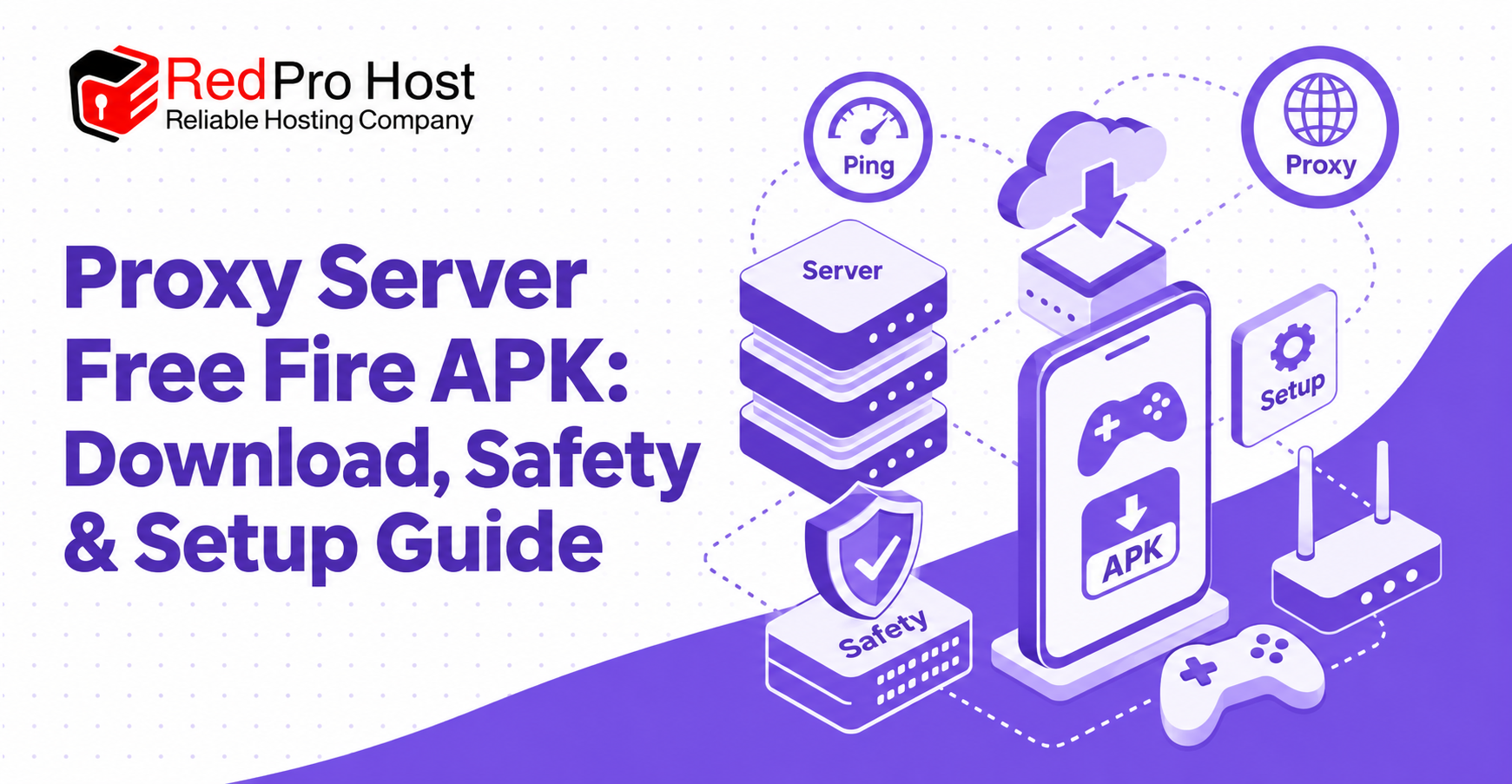
A Proxy Server Free Fire setup routes network traffic through an intermediary server before it reaches an online destination. Players often explore this option when they experience high ping, unstable routing, packet loss, or frequent disconnections. A different route may help in some situations, but a proxy is not an automatic game booster and cannot guarantee lower latency.
The quality of the result depends on the player’s internet provider, physical location, local signal, network congestion, proxy capacity, and the route between each network point. A well-positioned server may improve an inefficient path, while a distant or overloaded server can add delay and make the connection worse.
Safety matters just as much as performance. An Android APK is executable software, so its publisher, source, signature, checksum, permissions, and privacy practices should be verified before installation. This guide explains how proxies work, how to evaluate an APK, how to test a server fairly, and how to protect a device and game account throughout the process.
Proxy Server Free Fire
Proxy Server Free Fire is a search term commonly used for proxy-based tools or configurations intended to change the network route used while playing Free Fire. A proxy sits between a device and another network service. It receives traffic from the device, forwards it onward, and returns the response through the proxy connection.
That extra route is useful only when it performs better than the normal connection. If the internet provider already supplies an efficient path, adding a proxy introduces another network hop and may increase latency. For this reason, a proxy should be treated as a testable routing option rather than a guaranteed lag fix.
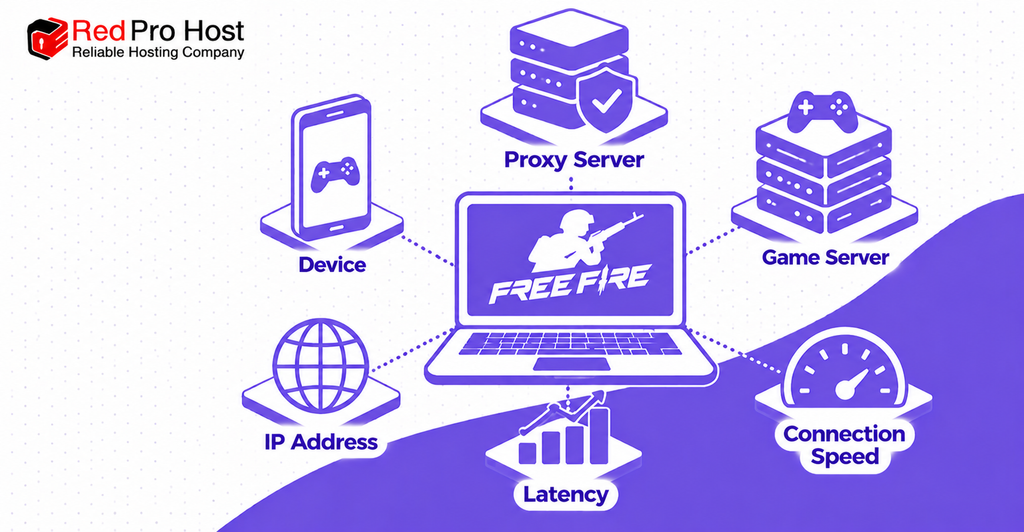
What a Proxy Can Potentially Change
A proxy can change the public IP address seen by certain destinations and route supported traffic through another location. Depending on the application and protocol, it may also provide a list of regional servers, connection statistics, or a quick way to switch routes.
These capabilities can help diagnose routing problems. For example, if a direct connection consistently takes an inefficient path, a carefully selected proxy might produce steadier latency. The benefit comes from the route, not from the word “proxy” itself.
What a Proxy Cannot Guarantee
A proxy cannot repair a weak mobile signal, overloaded home Wi-Fi, insufficient device performance, a game-server outage, or heavy congestion on the local network. It also cannot guarantee privacy, anonymity, account safety, or immunity from the game’s rules.
If the underlying connection is unstable before traffic reaches the proxy, the proxy may have little opportunity to help. Basic network problems should be addressed before installing additional software.
How a Free Fire Proxy Works
A normal connection follows a path selected by the mobile carrier or internet provider. A proxy connection first sends supported traffic to an intermediary server. That server then communicates with the destination and returns the response to the device.
The resulting path may be shorter, longer, less congested, or more congested than the original route. Performance can also change throughout the day as network load and routing decisions change.
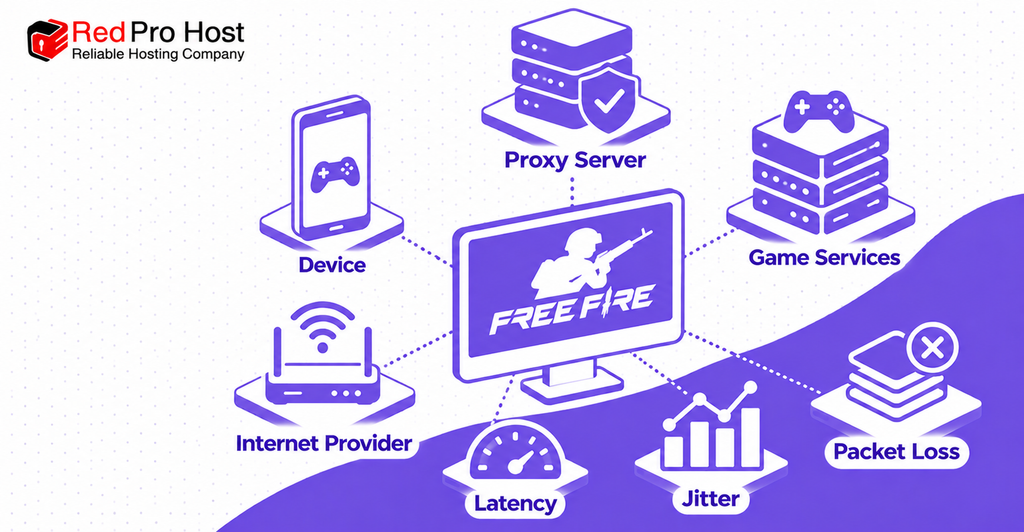
Normal Connection vs Proxy Routing
A direct route can be represented simply:
Device → Internet provider → Game services
A proxy route adds an intermediary:
Device → Internet provider → Proxy server → Game services
The added server creates another point that must process traffic. It helps only when the alternative route compensates for that extra step. A server that is geographically close can still perform poorly if its upstream network is congested or inefficient.
Latency, Jitter, and Packet Loss
Latency is the time required for data to travel across the network and return. Lower latency generally produces faster responses, but the average alone does not describe the entire experience.
Jitter is the variation between individual latency measurements. A connection that alternates rapidly between low and high ping may feel worse than one with a slightly higher but stable average. Packet loss occurs when data fails to reach its destination, potentially causing delayed actions, rubber-banding, missing updates, or disconnections.
What a Proxy Cannot Fix
A proxy is unlikely to solve problems caused by:
- Weak Wi-Fi or mobile signal strength.
- Too many devices using the same connection.
- Downloads, cloud backups, or streaming in the background.
- Device overheating, limited memory, or low frame rates.
- A regional service disruption or game-server outage.
- Broad internet-provider problems affecting every route.
- Restrictions or incompatibilities within the selected application.
Check these causes first. Adding another service to an already unstable connection can make troubleshooting more difficult.
Types of Proxy Connections
Proxy technologies are not interchangeable. Their capabilities depend on the protocol, application, configuration, and provider. A label alone does not establish that a service is appropriate for real-time gaming.
HTTP Proxies
HTTP proxies are primarily associated with web traffic. They can be useful for browsers and supported applications, but they are not automatically suitable for all traffic generated by a real-time game.
Before using one, confirm which traffic the application actually routes. A successful web connection does not prove that gameplay traffic is passing through the same proxy.
SOCKS5 Proxies
SOCKS5 is a more general-purpose proxy protocol that can relay different kinds of traffic. Its flexibility can make it useful in a wider range of applications, but performance still depends on implementation, routing, authentication, and server quality.
SOCKS5 should not be confused with automatic encryption. Privacy protections depend on the complete configuration and any additional security layers used by the service.
Shared Proxies
A shared proxy serves multiple users at the same time. It may be inexpensive or free, but performance can vary as demand changes. A server that works well during a quiet period may become congested when many players connect.
Shared services also require careful privacy evaluation. Users should know who operates the server, what information is logged, and how long any records are retained.
Dedicated Proxies
A dedicated proxy reserves resources for one customer or a smaller controlled group. This may produce more predictable capacity, but it does not guarantee a better route or lower ping.
Premium pricing should never be treated as proof of performance. Test latency, jitter, packet loss, availability, and refund terms before committing to a paid service.
Verified APK Information
An APK should be treated as a specific software product, not as a generic download. Before an installation link can be considered trustworthy, the file should be connected to an identifiable developer and a verifiable release record.
If the following information is missing or contradictory, pause the installation. A filename containing “Free Fire proxy” is not proof of identity, compatibility, or safety.
Developer and Original Source
The download page should identify the developer or organization responsible for the application. It should also explain whether the file is the original package, an authorized mirror, or a modified build.
Prefer the publisher’s recognized distribution channel. Avoid pages that hide the developer, redirect through several unrelated offers, or present multiple download buttons without explaining which one contains the real file.
Package Name and Release Version
Android applications have a package identifier in addition to the display name shown on the home screen. Record the package name, version name, version code, update date, and file size. These values should match the developer’s release information.
Game update labels and proxy application versions are not necessarily related. A file carrying an “OB” label should explain exactly what that label means and how compatibility was tested. Do not assume that adding a current game-version term to a filename makes the APK compatible.
Android Requirements and Architecture
Check the minimum supported Android version and the processor architectures included in the package. An application may fail to install or run correctly if it was built for a different system version or device architecture.
Compatibility claims should come from release documentation, not from a copied specification table. If the developer does not document a requirement, treat it as unknown.
Signature and SHA-256 Checksum
Android signing information helps identify whether different releases come from the same signing identity. A SHA-256 checksum is a unique digest that can be calculated from the downloaded file and compared with a value published through a trusted release channel.
A matching checksum proves that the downloaded file is identical to the file represented by that checksum. It does not prove that the software is harmless. The checksum is most useful when the expected value comes from an independently trusted publisher source.
Permissions and Privacy
Review every requested permission before installation. A network-routing tool may need network-related capabilities, but requests for contacts, messages, accessibility control, device administration, microphone access, or unrelated storage access require a clear and credible explanation.
The privacy notice should disclose what connection data is collected, where it is transmitted, how long it is retained, and whether it is shared. If the operator cannot explain the application’s permissions and data handling, do not install it.
How to Evaluate and Download the APK Safely
Downloading safely begins before the file reaches the device. The goal is to establish who created the software, confirm that the selected release is genuine, and understand what the application will be allowed to do.
Confirm the Publisher and Release
Compare the developer name, package identifier, version, update date, file size, supported Android versions, and release notes. Inconsistencies can indicate an outdated listing, a renamed package, or an unverified mirror.
Do not trust the words “latest,” “official,” or “safe” without evidence. A legitimate release record should clearly connect the publisher to the exact downloadable file.
Inspect the Download Destination
Before tapping a download button, check where it leads. The action should clearly identify the APK file rather than opening an unrelated advertisement, executable, subscription page, or modified game client.
Avoid shortened or concealed links when the destination cannot be examined. If several buttons look identical, use none of them until the publisher provides an unambiguous release path.
Compare the File Checksum
After downloading, calculate the file’s SHA-256 checksum with a trusted local tool and compare it with the expected value. The comparison must be exact; even a one-character difference means the file is not identical.
Do not use a checksum displayed only beside the same unverified mirror as conclusive proof. A stronger verification path publishes the expected hash through a separate, authoritative release channel.
Scan the APK Before Opening It
Keep Android’s built-in protections active and scan unfamiliar files before installation. The official Play Protect guidance explains that Android can check applications from other sources and warn about potentially harmful behavior.
A clean result reduces uncertainty but cannot guarantee safety. Newly created or carefully concealed threats may not be detected immediately, and privacy-invasive behavior may not always be classified as malware.
Review the Requested Permissions
Read the installation and first-run permission prompts instead of approving them automatically. Each permission should match a documented feature. Deny unexpected access and remove the application if it refuses to function without permissions unrelated to network routing.
Be especially cautious with accessibility access, notification reading, screen capture, device administration, virtual keyboard control, SMS, contacts, and full file access. These capabilities can expose sensitive information or provide extensive control over a device.
Allow Installation Only for the Selected Source
Modern Android versions manage unknown-app installation permission per source. If the verified APK must be installed through a browser or file manager, authorize only that specific application and follow the system prompts.
Do not disable broader security protections simply to force installation. Afterward, remove the installation permission when it is no longer needed. If Android blocks or warns about the package, investigate the reason instead of bypassing the warning.
How to Install a Verified Proxy APK
Proceed only after verifying the publisher, release, checksum, permissions, and privacy information. The exact labels may differ between Android versions and device manufacturers, but the general process is similar.
Step 1: Back Up Important Data
Confirm that important device data and account recovery information are protected. A proxy should not normally alter game saves, but installing untrusted software can create broader device risks.
Keep recovery codes and account credentials outside the device when appropriate. Never place them in the same folder as an unfamiliar APK.
Step 2: Locate the Verified File
Open the Downloads area and confirm the expected filename, size, and checksum again. Delete duplicate or partial copies so the wrong file is not selected accidentally.
If the package name, version, or checksum differs from the verified release information, stop and obtain a clean copy from the responsible publisher.
Step 3: Start the Android Installer
Tap the verified APK and allow the selected browser or file manager to request installation. Read every Android warning carefully. The presence of an installation screen does not mean Android has endorsed the software.
If the operating system reports a parsing error, incompatible package, conflicting signature, or blocked application, do not attempt random workarounds. Recheck the Android requirement and release documentation.
Step 4: Review and Install
Review the app identity and requested access, then install only if the displayed details match the verified package. Do not install a separate modified game client, plug-in, script, or “injector” offered during the process.
After installation, revoke the browser or file manager’s unknown-app permission if it is no longer required.
Step 5: Inspect the First Launch
On first launch, review the privacy notice, server options, connection method, and additional permission prompts. A routing tool should not request a game password or promise free currency, automatic aiming, altered damage, or other unfair advantages.
If the app presents an unknown login page or demands sensitive access without explanation, close it, uninstall it, and review account activity from a trusted device.
How to Choose and Test a Proxy Server
The best server is determined by measured performance on the player’s actual connection. Country labels and promotional speed claims are less useful than repeatable tests of latency, jitter, packet loss, and stability.
Record a Direct-Connection Baseline
Start with the proxy disabled. Use the same device, network, game region, and approximate time of day that will be used for proxy testing. Record several observations rather than a single ping value.
Note average ping, spikes, packet loss, disconnections, and responsiveness. Also confirm that no downloads, updates, streams, or cloud backups are consuming bandwidth during the test.
Test Several Proxy Locations
Enable one server and repeat the same test. Try several reasonable locations, but avoid switching so quickly that no meaningful sample is collected. A nearby location is a sensible starting point, not a guaranteed winner.
Use a simple comparison table:
| Connection | Average ping | Ping spikes | Packet loss | Stability |
| Direct connection | Record result | Record result | Record result | Record result |
| Proxy server A | Record result | Record result | Record result | Record result |
| Proxy server B | Record result | Record result | Record result | Record result |
The table should contain real measurements from the user’s network. Example numbers from another person cannot predict local performance.
Consider Stability Before the Lowest Ping
A server that briefly displays a very low value but suffers severe spikes may feel worse than a consistently stable route. Pay attention to sustained performance across several sessions.
If all proxy locations are worse, the direct connection is the better option. There is no reason to keep an extra network hop enabled when it provides no measurable benefit.
Repeat Tests at Different Times
Networks change as demand rises and falls. A server that performs well in the morning may become congested during peak evening hours. Repeat comparisons at the times when play normally occurs.
Keep results for several days before paying for a premium plan. Short trials and transparent refund terms reduce the risk of purchasing a route that works only occasionally.
Proxy vs VPN for Gaming
Proxies and virtual private networks can both route traffic through another server, but their scope and security characteristics differ. Neither label guarantees better gaming performance.
Routing Scope
A proxy may cover one application, one protocol, or selected traffic depending on its configuration. A VPN commonly creates a broader tunnel for device traffic, although split tunneling can exclude or include selected applications.
Confirm what is actually routed. A connection icon alone does not prove that every game packet follows the expected path.
Encryption and Privacy
VPNs commonly encrypt traffic between the device and the VPN server. Proxy encryption depends on the protocol and service. In either case, the provider may become a trusted intermediary and can potentially observe connection metadata.
Review the privacy policy, ownership, jurisdiction, independent audits, and retention practices. “Masks your IP” does not mean “makes you anonymous.”
Gaming Performance
Both proxies and VPNs add an intermediary. Either can improve an inefficient route or worsen an already efficient one. Server distance, peering, congestion, device overhead, and protocol design all affect the result.
Choose based on repeated measurements and the desired privacy features, not on a claim that one category is universally faster.
Safety, Privacy, and Account Protection
A proxy sits in a sensitive position because it handles network traffic. An APK also runs code on the device. Protecting the game account, device, and personal data must take priority over an uncertain reduction in ping.
Never Share Game Credentials With an Unknown Tool
A basic routing service should not need the player’s game password. Do not type login credentials into an unfamiliar proxy application, embedded browser, pop-up, or promotional page.
Use strong account credentials, enable available two-step verification on the connected login platform, and review unfamiliar device sessions. The game’s official account-protection guidance advises players to protect login information, use official channels, and use the official game client.
Keep the Official Game Client Unmodified
A standalone network tool is different from a modified game client. Avoid APKs, scripts, plug-ins, injectors, or patches that alter gameplay, unlock paid content, automate aiming, change damage, or provide an unfair advantage.
Do not let a proxy guide persuade you to replace the official client. Use authorized distribution channels for the game itself and review the current rules before introducing any third-party software.
No Proxy Guarantees Ban Prevention
A proxy cannot promise that an account will never be restricted or suspended. It also should not be marketed as a tool for evading enforcement, hiding cheating, bypassing regional rules, or defeating security systems.
Rules and detection practices can change. Review current official policies and stop using any tool whose behavior is unclear or whose developer encourages prohibited activity.
A Proxy Does Not Create Complete Anonymity
Destinations may see the proxy’s public IP instead of the user’s original public IP, but the proxy operator can still possess connection information. Other identifiers, account activity, device information, cookies, or application telemetry may remain visible.
Complete anonymity is an unrealistic promise. Use a service only after understanding who operates it, which data it collects, and what legal and technical protections apply.
Troubleshooting Connection and Installation Problems
Troubleshooting should begin with the simplest configuration: the normal connection, the official game client, and no unknown background tools. Add the proxy only after confirming that the base setup works.
The APK Does Not Install
Check the Android version, device architecture, available storage, file completeness, package signature, and whether another version is already installed. A conflicting signature can prevent one build from replacing another with the same package name.
Do not disable security tools or root the device simply to force an unidentified package to install. Obtain the correct verified release instead.
The Proxy Does Not Connect
Confirm that the normal internet connection works, then check whether the proxy service is available. Try another documented server and verify that the application has the necessary network permissions.
If every server fails, review the provider’s status and setup instructions. Carrier, firewall, DNS, protocol, or regional restrictions may affect the connection.
Ping Becomes Worse
Disconnect the proxy and restore the direct baseline. If normal performance returns, the selected proxy route is probably inefficient or congested. Test another server only if there is a clear reason to continue.
A proxy that consistently adds latency should remain disabled. Promotional claims should not override measured results.
The Connection Keeps Dropping
Check Wi-Fi signal, mobile coverage, network switching, battery optimization, background restrictions, and server load. Some devices may pause a proxy application when the screen changes or battery-saving rules become active.
Change one setting at a time and retest. This makes it easier to identify whether the cause is the device, local network, proxy server, or application.
The Game Stops Connecting
Close the proxy and test the official game client on the normal connection. If the game works directly, the proxy configuration may be incompatible or unavailable. If the game also fails directly, check for a service outage or underlying network problem.
Avoid repeated login attempts through an unstable or unidentified tool. Unexpected credential prompts should be treated as a security warning.
Frequently Asked Questions
These answers summarize the most important performance, installation, and account-safety points for players considering a proxy.
Can a Proxy Guarantee Lower Ping in Free Fire?
No. A proxy can improve an inefficient route, but it also adds another server to the path. Distance, congestion, peering, server load, jitter, and packet loss determine whether the result is better or worse.
How Can I Verify a Proxy APK?
Identify the developer and original release, check the package name and version, compare the SHA-256 checksum, inspect the signing information, scan the file, review permissions, and read the privacy policy. If the source or identity cannot be verified, do not install it.
Is an APK Safe If a Scanner Finds Nothing?
Not necessarily. A clean scan is useful evidence, but it is not a guarantee. New threats may be undetected, and invasive data collection may not be classified as malware. Publisher identity, permissions, privacy practices, and reputation remain important.
Does a Proxy App Need My Free Fire Password?
A basic traffic-routing tool should not need the game password. Do not enter credentials into an unknown proxy app or embedded login page. Use the official game client and recognized account-recovery methods.
Can a Proxy Work on Wi-Fi and Mobile Data?
It may work on both, depending on the application, protocol, carrier, and device configuration. Test each network separately because Wi-Fi and mobile data use different routes and can produce different results.
Is the Closest Server Always the Fastest?
No. Geographic distance matters, but internet traffic does not always follow the shortest physical path. A slightly more distant server with better peering and lower congestion can outperform a nearby server.
Does a Proxy Require Root Access?
Proxy use does not inherently require root access. Requirements depend on the application’s design. Treat an unexplained root requirement as a major risk and do not grant it merely to test a possible latency improvement.
Is a Premium or VIP Server Always Better?
No. A paid server may provide more capacity, locations, or support, but it can still be distant or poorly routed. Compare a trial under normal playing conditions before purchasing access.
Can a Proxy Make an Account Anonymous?
No. A proxy may change the public IP seen by some destinations, but the provider may see connection metadata and the game can still associate activity with an account and device signals.
Can a Proxy Prevent an Account Ban?
No. A proxy cannot guarantee protection from account enforcement. Follow current game rules, use the official client, and avoid software that modifies gameplay or attempts to bypass security controls.
Final Safety Checklist
Use this checklist before installing or activating any proxy APK. If a critical item cannot be confirmed, stop and choose a safer alternative.
Verify the File and Publisher
File verification connects the downloaded package to a responsible developer and a specific documented release. Complete these checks before opening the APK:
- Identify the responsible developer.
- Confirm the original release source.
- Match the package name, version, code, date, size, and Android requirement.
- Compare the SHA-256 checksum with a trusted published value.
- Review signing information and scan the exact file.
Review Access and Privacy
Permissions and data practices determine how much access the application receives and what information the operator may collect. Review these points before approving any request:
- Read every permission request.
- Reject unexplained access to sensitive device features.
- Understand what traffic and personal data the provider logs.
- Do not share game credentials, recovery codes, or one-time passwords.
- Keep device security and app scanning enabled.
Test Performance Honestly
Performance testing should compare equivalent conditions and use repeated measurements rather than promotional claims or a single low reading. Follow this process to reach a useful conclusion:
- Record direct-connection performance first.
- Compare several servers under similar conditions.
- Measure stability, jitter, packet loss, and spikes—not only one ping value.
- Keep the proxy only if repeated tests show a real improvement.
- Disconnect and uninstall it if security, privacy, or reliability is uncertain.
Conclusion
A Proxy Server Free Fire setup may help when an internet provider’s normal route is inefficient, but it is not a universal solution for high ping. Every proxy adds another network point, so actual performance must be measured on the player’s device, network, region, and normal playing schedule.
The APK deserves even greater scrutiny than the connection claims. Verify the developer, original release, package identity, signature, checksum, Android compatibility, permissions, and privacy practices before installation. Never provide game credentials to an unknown tool, replace the official client with a modified APK, or trust promises of zero lag, complete anonymity, cheats, or guaranteed ban prevention.
Start with a direct-connection baseline, fix local network problems, and test a verified proxy only when there is a clear reason. If it provides a stable, repeatable improvement without creating security or policy concerns, it may be useful. If it increases latency or cannot be verified, the safest and most effective choice is to leave it disabled.