
Remote properties and temporary worksites often need dependable surveillance long before fixed power or wired internet becomes available. A 4G solar camera system solves this problem by combining solar generation, battery storage, mobile connectivity and video surveillance in one off-grid setup. It can monitor activity, send alerts and provide remote access without the cost and delay of trenching power and data cables across a large site.
The right system is not defined by the solar panel alone. Camera purpose, viewing distance, night conditions, battery autonomy, mobile coverage, storage and mounting all determine whether the installation will produce useful footage. This guide explains how 4G solar CCTV works, where it is used and how to compare systems for Australian conditions.
Table of Contents
ToggleSolar Security Camera Systems
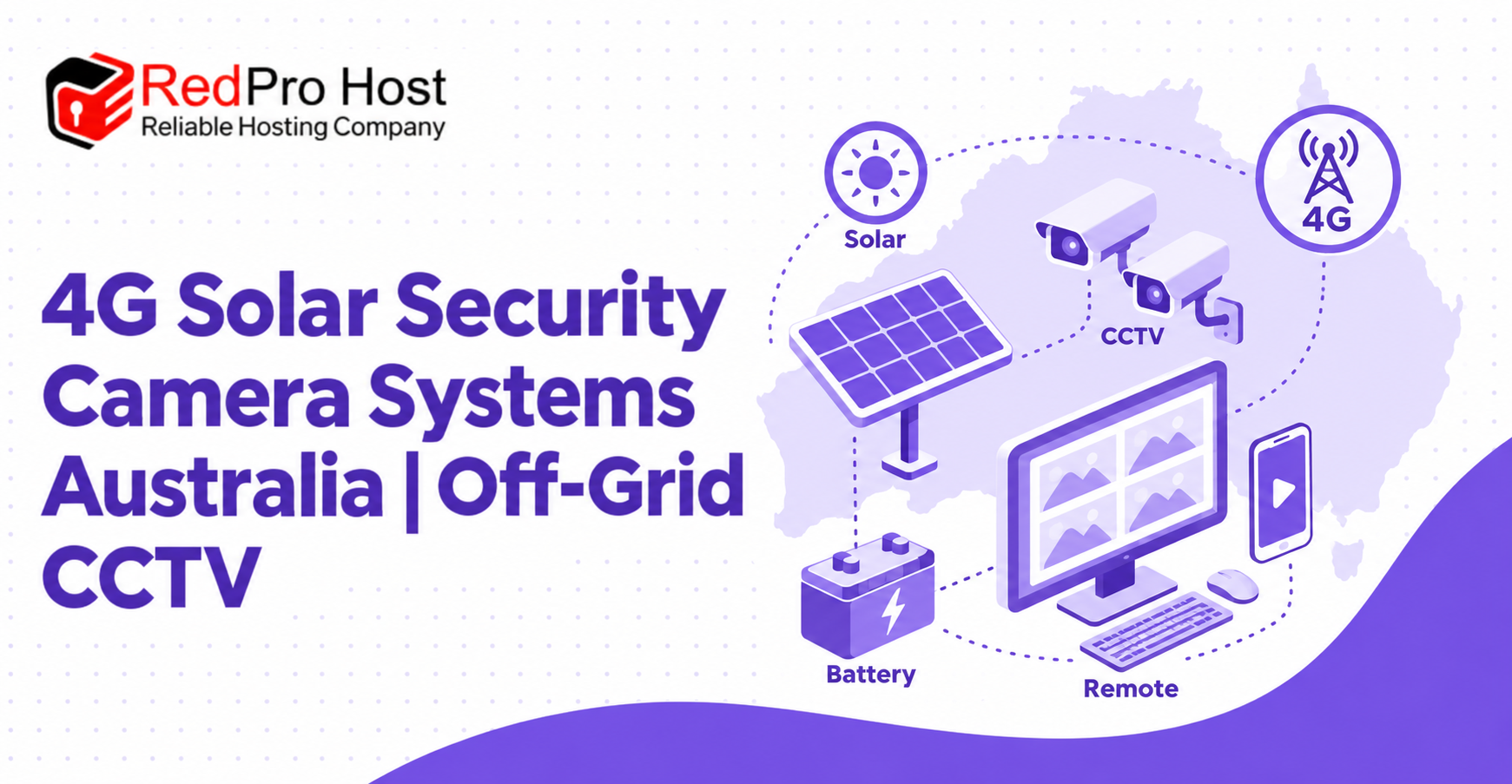
Solar security camera systems are designed for locations where conventional CCTV is impractical or too expensive to deploy. They use a solar panel to charge a battery, which supplies energy to the cameras, communications equipment and recording hardware. A 4G connection can then carry live video, alerts and system information to authorised users.
This architecture makes off-grid CCTV suitable for farms, construction projects, mines, council assets and other remote sites. It can also support temporary monitoring because the equipment may be relocated when work finishes or the risk shifts to a different area.
A successful installation balances several resources. The cameras need enough light and image detail, the battery needs sufficient reserve for nights and poor weather, and the mobile connection needs enough stability for remote access. Designing these elements together is more reliable than selecting each component in isolation.
How 4G Solar CCTV Works Without Power or Wi-Fi
Off-grid CCTV replaces fixed electrical and internet services with independent energy and communications. Solar panels produce energy during daylight, batteries store it for later use, and a 4G modem connects the system to a mobile network. Local recording can continue even when the external connection is weak or temporarily unavailable.
Understanding how each part works makes it easier to compare systems and identify unrealistic claims. A large solar panel does not guarantee long battery life if the cameras consume excessive power, and a strong mobile signal does not compensate for poor camera placement.
Solar generation supplies daytime energy
The solar panel converts available sunlight into electrical energy. Part of that energy operates the equipment during the day, while the remainder charges the battery for nighttime use and periods of low solar production.
Panel capacity should reflect camera load, site location, seasonal sunlight and expected weather. Trees, buildings, dust, bird droppings and an incorrect panel angle can reduce output. The mounting design should provide clear solar exposure and allow safe access for inspection and cleaning.
Battery storage supports continuous operation
The battery allows the system to operate after sunset and through overcast conditions. Its useful capacity depends on battery chemistry, temperature, age, discharge limits and the total energy consumed by cameras, infrared lighting, modems, recorders, sirens and other accessories.
Buyers should ask how many days of autonomy are expected under defined conditions. The answer should state the assumed camera load, recording mode and weather rather than promising indefinite operation. Low-voltage protection and battery-health monitoring can prevent damaging discharge and provide early warning when the energy balance is deteriorating.
Mobile connectivity provides remote access
A 4G modem sends alerts and allows users to view live or recorded footage through an app or browser. Performance depends on local network coverage, antenna position, network congestion and the amount of video being transmitted.
A site survey should test the intended carrier at the actual mounting height and location. A handheld phone reading at ground level may not accurately represent the installed system. External antennas or a different carrier may improve a marginal connection, but local recording should remain available when remote connectivity is interrupted.
Local recording protects footage during outages
Many off-grid systems store recordings on a memory card or network video recorder at the site. This reduces mobile data use and preserves footage when the mobile link drops. Cloud storage can add off-site protection, although it generally requires more data and may involve a recurring fee.
The storage design should define recording resolution, frame rate, event settings and retention. It should also protect the recorder or memory device from theft, weather and unauthorised access. Remote health checks can confirm that recording continues even when nobody visits the site regularly.
Solar Security Cameras for Australian Industries
Different industries use solar surveillance for different outcomes. A farm may need to observe a distant gate, while a building project may prioritise tool storage, progress documentation and after-hours alerts. Matching the system to the operating environment is more important than choosing the same camera package for every site.
The following applications demonstrate how coverage, power and communications requirements change across common off-grid settings.
Farm and acreage security cameras
Farms often contain widely separated assets, long driveways and areas without mains power. Solar cameras can monitor gates, machinery sheds, fuel storage, livestock areas, water infrastructure and isolated access tracks. Pan-tilt-zoom cameras may provide broad oversight, while fixed cameras can maintain a consistent view of critical entry points.
Rural designs should account for vegetation, animals, dust and long distances. Detection zones need careful configuration so moving branches or livestock do not generate constant alerts. Gate cameras may also require a narrow, controlled view if the goal is to capture vehicles or registration plates rather than general movement.
Construction site solar cameras
Construction sites change frequently, making permanent power and cabling difficult to justify during early project stages. A relocatable solar CCTV unit can protect tools, machinery, materials, site offices and access points as the layout evolves.
Construction managers may also use scheduled images or timelapse recording to document progress. Security and documentation should be configured as separate objectives because they may require different angles, recording intervals and image detail. A camera mounted for a wide project overview may not capture enough detail to investigate an incident at a storage container.
Mining, council and infrastructure security
Mines, depots, public assets and infrastructure projects may require surveillance across large or remote areas. Solar systems can provide rapid coverage at compounds, equipment yards, temporary roadworks, environmental monitoring points and locations awaiting permanent services.
These sites often need robust mounting, controlled user permissions and documented maintenance. Critical systems may benefit from larger energy reserves, device-health alerts and redundant communications or recording. The design should also align with site access rules and the organisation’s information-security procedures.
Marine and aquaculture surveillance
Marine and aquaculture sites can use off-grid cameras to observe access points, storage, vessels, pens and equipment in locations where wired services are unavailable. Corrosion, salt spray, wind and reflected sunlight create demanding conditions for enclosures, fasteners, connectors and image exposure.
Equipment should be selected and installed for the actual level of environmental exposure. Stainless or appropriately protected mounting hardware, sealed cable entries and regular cleaning may be necessary. The solar array and supporting structure must also tolerate local wind conditions without losing alignment.
Features Available in Off-Grid CCTV Systems
Modern solar CCTV can do more than record continuous video. Depending on the system, it may distinguish people from vehicles, patrol multiple views, activate lights or sirens, capture registration plates and create project timelapses. Every feature adds a potential benefit, but it may also increase power, storage or data requirements.
Features should therefore be selected according to a defined purpose. A simple fixed camera can outperform a complicated setup when it is aimed correctly at the area that matters.
AI detection and PTZ auto-tracking
AI-assisted detection can classify movement as a person or vehicle and reduce alerts caused by unrelated activity. A pan-tilt-zoom camera may then follow a detected subject or move through a programmed tour of important areas.
These functions require testing in the real environment. Long grass, shadows, insects, rain and distant traffic can affect detection. A PTZ camera also faces a basic limitation: while it is looking in one direction, it may not record an event somewhere else. Fixed overview cameras can preserve continuous coverage while the PTZ camera investigates selected activity.
Lights, sirens and active deterrence
Some systems can activate a light, speaker or siren when a detection rule is triggered. This changes the camera from a passive recording device into an active response tool. It may draw attention to the presence of surveillance and discourage continued entry.
Active deterrence needs sensible schedules and detection zones. Frequent false activations can disturb neighbours, workers or animals and may cause users to ignore genuine events. The response should match the site, with clear control over volume, duration, operating hours and manual override.
Number plate capture
Capturing a registration plate requires more than pointing a high-resolution camera at a road. Vehicle speed, distance, viewing angle, headlight glare, shutter speed and lighting all influence the result. A wide camera that records an entire gate area may show a vehicle clearly while leaving the plate unreadable.
A dedicated plate camera should view a controlled lane at a suitable angle and distance. Day and night testing with representative vehicles is essential. Buyers should distinguish basic plate capture from automated number plate recognition, which reads characters and stores searchable plate information.
Construction timelapse recording
Timelapse condenses a long project into a sequence of scheduled images. It can support reporting, stakeholder updates, dispute documentation and marketing. The camera needs a stable position and a view that is unlikely to become obstructed as structures, cranes and stored materials move around the site.
Image interval, retention and export format should be agreed before recording begins. A separate security camera may still be necessary because timelapse intervals can omit important activity between images.
Smartphone viewing and remote configuration
Remote access allows authorised users to check live views, search recordings, receive alerts and review system health without travelling to the site. Remote configuration can also adjust detection zones, schedules and camera positions as operating conditions change.
Convenience should be paired with secure account management. The Australian Signals Directorate’s guidance for securing smart devices recommends strong passwords, current software and secure connections. Users who no longer need access should be removed, and shared administrator accounts should be avoided where individual accounts are available.
Choosing the Right Solar Camera System
Choosing an off-grid camera begins with the event or area that needs to be observed. From there, the design can define the necessary detail, viewing angle, power reserve, communications and recording. Starting with a feature list often leads to equipment that looks capable but does not solve the site’s actual problem.
A written scope helps suppliers recommend comparable solutions and makes performance easier to verify after installation.
Coverage and image detail
Coverage describes how much of a scene the camera sees, while image detail determines what can be recognised within that scene. A wide field of view is useful for general activity, but important subjects occupy fewer pixels. A narrower view is usually better for faces, equipment identifiers or number plates.
The Queensland Police Service CCTV guidance highlights the importance of defining the camera’s purpose and positioning cameras to obtain useful images. A practical design may combine an overview camera with dedicated cameras at gates, doors or other identification points.
Solar panel and battery capacity
Solar and battery capacity should be based on an energy budget. This calculation adds the expected consumption of every component and compares it with available solar generation across relevant seasons. It should include reasonable allowance for system losses, battery ageing and poor weather.
Ask for the assumptions behind stated autonomy. Important details include hours of operation, night illumination, PTZ activity, modem use, temperature and the minimum battery level the system allows. A design that works during a clear summer week may need additional reserve for winter or extended cloud.
4G coverage, SIM cards and data
Mobile service should be tested before finalising the camera position. The selected carrier must provide adequate signal and data performance at the site, and the SIM arrangement should be clear. Some systems use a customer-supplied plan, while others include managed connectivity for a recurring fee.
Data consumption varies widely. Continuous cloud video can use far more data than event alerts and occasional remote viewing. Buyers should ask for an estimate based on the proposed resolution, frame rate, upload method and expected viewing behaviour. Data limits and excess charges should be documented.
Local and cloud recording
Local recording is efficient and can continue without a mobile connection. Cloud recording stores footage away from the site, which may protect it if equipment is stolen or damaged. A hybrid model can combine local continuity with selected cloud clips or backups.
Retention should be based on how quickly incidents are discovered and any applicable organisational obligations. Users also need a straightforward way to search and export footage without reducing its quality. Storage estimates should be verified after the system operates under normal conditions.
Weather resistance and mounting
Outdoor camera ratings describe enclosure protection under defined tests, but installation quality still matters. Water can enter through poorly sealed connectors, damaged cable glands or mounting points even when the camera itself has a suitable rating.
The pole, bracket or structure must support the camera and solar panel under local wind conditions. Vibration can blur images or alter camera alignment. Mounting height should discourage tampering while preserving the viewing angle required for useful detail.
Compare Solar Security Camera Systems
System comparison is easier when products are evaluated by application rather than marketing labels. The table below outlines common configurations and the situations they may suit. Exact specifications should still be confirmed against a site assessment.
| Configuration | Typical strength | Suitable applications | Key limitation to check |
| Single fixed solar camera | Consistent view with modest power use | Gates, sheds, equipment or narrow access points | Limited coverage outside the fixed view |
| Single PTZ solar camera | Wide area patrol and manual zoom | Farms, compounds and open worksites | Cannot face every direction at the same time |
| Fixed cameras with PTZ | Continuous overview plus active investigation | Construction, mining and council sites | Higher power, storage and mounting requirements |
| Dedicated plate camera | Detailed vehicle identification at controlled access | Gates, depots and private roads | Requires precise angle, distance and lighting |
| Solar timelapse camera | Long-term visual project record | Construction and infrastructure projects | Scheduled images may not provide complete security footage |
| Multi-camera recorder system | Central recording and broader coverage | Larger compounds and operational sites | Greater energy load and installation complexity |
Compare performance under stated conditions
Distance figures should identify whether they describe detection, observation, recognition or identification. A camera may detect movement hundreds of metres away without producing enough detail to identify a person. Night figures should also state whether infrared or external lighting is used.
Ask for sample footage or a demonstration that resembles the intended environment. Images from a brightly lit urban site may not represent an unlit rural gate, dusty mine or reflective marine setting.
Compare ownership and support costs
The purchase price is only one part of the total cost. Mobile data, cloud storage, software licences, replacement batteries, maintenance and technical support may create ongoing expenses. Relocation or expansion can also require additional hardware and labour.
A complete quote should separate initial equipment and installation from recurring charges. Warranty duration is useful, but buyers should also understand who diagnoses problems, whether remote assistance is included and how replacement parts are handled.
Solar Camera Installation and Remote Setup
Some solar camera packages are designed for customer installation, while complex or high-risk sites may require professional mounting and commissioning. In either case, a documented process improves safety, image quality and reliability.
Installation is complete only when the camera view, energy system, recording, communications and user access have all been tested.
Survey the site before mounting equipment
The survey should confirm camera objectives, solar exposure, mobile signal, mounting options and potential obstructions. It should consider how the site changes across seasons and operating stages. A location that is clear during installation may later be blocked by vegetation, vehicles or construction.
The survey also identifies safe access requirements and any need for engineered poles, foundations or elevated-work controls. Temporary equipment still needs a stable structure that will not shift in wind or soft ground.
Position panels, cameras and antennas correctly
Solar panels need an orientation and angle suited to the location, with minimal shade throughout the day. Cameras need a view that achieves their purpose, and antennas need a position that supports stable communication. These priorities may require separate mounting positions or a carefully designed shared structure.
Cables should be protected from weather, animals, sharp edges and tampering. Connectors need suitable strain relief and sealing. Battery and electronic enclosures should be secure, ventilated where required and accessible for authorised maintenance.
Configure detection, alerts and recording
Default settings rarely suit a real site. Detection zones should exclude irrelevant roads, trees or water movement where possible. Alert schedules should reflect operating hours, and recording settings should balance evidence needs with storage and power consumption.
Camera names should describe their locations, and the system clock should be accurate. Users should know whether timestamps update automatically and what happens when daylight-saving settings change in relevant states or territories.
Commission and document the complete system
Commissioning verifies daytime and nighttime images, detection, alerts, recording, playback, remote access and energy performance. A plate camera should be tested with moving vehicles, and an active-deterrence system should be triggered under controlled conditions.
Handover information should include equipment locations, serial numbers, account ownership, storage settings, SIM details, warranty documents and support contacts. Users should also be shown how to export footage and check whether the system is recording.
Privacy and Cyber Security for Remote Cameras
Remote cameras capture images and may collect other information about workers, visitors or members of the public. Organisations should plan how footage is collected, accessed, retained and disclosed. Privacy, workplace and surveillance requirements can vary by organisation, location and use, so specific obligations should be checked before deployment.
Cyber security is equally important because a 4G camera is an internet-connected device. Poor account controls or outdated software can expose video and system settings to unauthorised users.
Position cameras for a clear and necessary purpose
Each camera should cover an area relevant to the documented security or operational objective. Views should avoid neighbouring properties, private spaces and unrelated public areas where practical. Signs or notices may be appropriate or required depending on the context.
The Office of the Australian Information Commissioner provides general security camera privacy guidance, including information about the Privacy Act and state or territory requirements. Organisations should seek appropriate advice when their use involves employees, customers, public spaces or sensitive information.
Protect accounts, devices and recorded footage
Default credentials should be changed before the system goes live. Each authorised person should use a unique account, with multi-factor authentication enabled where available. Permissions should limit users to the cameras and functions they need.
Firmware, mobile apps and connected recorders should receive security updates throughout their supported life. Stored footage should be encrypted where supported, and exported files should be transferred through approved channels. When equipment is sold or redeployed, old accounts and data should be removed securely.
Solar Security Camera System FAQs
The questions below cover common decisions about connectivity, power, recording and deployment. Exact performance depends on the selected equipment, site conditions and configuration, so important assumptions should be confirmed in writing.
Do solar security cameras work without Wi-Fi?
Yes. A 4G solar camera can use a mobile network for remote viewing and alerts instead of local Wi-Fi. It still requires suitable mobile coverage and an active data service. Systems with local storage may continue recording when the 4G connection is temporarily unavailable.
How do 4G solar cameras connect to a phone?
The camera or recorder connects to a 4G network through a modem and SIM. An authorised user signs in through a compatible app or web portal to view footage and receive alerts. The installer or system owner should control the main account and approve additional users.
What happens during several days of cloudy weather?
The system draws stored energy from its battery when solar production is low. Operating time depends on battery capacity, equipment consumption, temperature and the amount of solar energy still available. A properly sized system should state an expected autonomy period under defined conditions and protect the battery from excessive discharge.
How much mobile data does a solar CCTV system use?
Usage depends on how video is transmitted. Event notifications and occasional viewing may consume relatively little data, while continuous cloud recording or frequent high-resolution streaming can use much more. Request an estimate based on the proposed settings and confirm how the service handles data limits.
Can solar cameras record locally?
Many systems can record to a memory card or local network video recorder. This supports continuous evidence collection without sending every video stream over 4G. Storage capacity, retention, physical protection and the process for retrieving footage should be confirmed before purchase.
Can a solar camera capture number plates at night?
It can when the camera, lens, exposure, lighting, angle and distance are designed for plate capture. A general overview camera may not handle headlight glare or provide enough pixels across the plate. Test the proposed setup with representative vehicles in both directions and under expected night conditions.
Which system suits a farm or construction site?
A farm may prioritise long approaches, gates and widely separated assets, while a construction site may need relocatable coverage, active alerts and timelapse. In both cases, start with the areas and events that matter, then select fixed, PTZ or specialist cameras to meet those objectives.
Are remote setup and technical support important?
Remote setup can improve detection zones, schedules, PTZ tours and alert quality after the equipment is mounted. Ongoing support is valuable when mobile networks, apps or site layouts change. Confirm what assistance is included, how long it remains available and whether advanced configuration attracts additional fees.
How often do batteries and panels need maintenance?
Maintenance frequency depends on the environment. Panels may require cleaning when dust, salt, leaves or bird droppings reduce output. Batteries should be monitored for capacity and condition, while enclosures, connectors, mounts and camera views should be inspected for damage or movement.
Can a solar CCTV system be relocated?
Many systems can be moved, but the new site needs its own assessment. Solar exposure, mobile coverage, mounting stability and camera objectives may differ. Detection zones, alert schedules and PTZ positions should be reconfigured and recommissioned after relocation.
Conclusion: Choose Off-Grid CCTV Around the Site
4G solar security cameras can provide practical surveillance where fixed power, Wi-Fi and cabling are unavailable. Their flexibility makes them useful for farms, construction sites, mines, council assets, marine facilities and temporary projects throughout Australia.
Reliable performance depends on more than a camera specification. Define the purpose of each view, test mobile coverage, calculate solar and battery capacity, choose a suitable recording strategy and verify images during both day and night. Clear documentation, secure user access and ongoing maintenance help the system remain useful after the initial installation.
When comparing options, ask suppliers to explain their performance assumptions and total ownership costs. A system designed around the actual site will provide better evidence, fewer unwanted alerts and more dependable remote oversight than a generic package selected on headline features alone.