
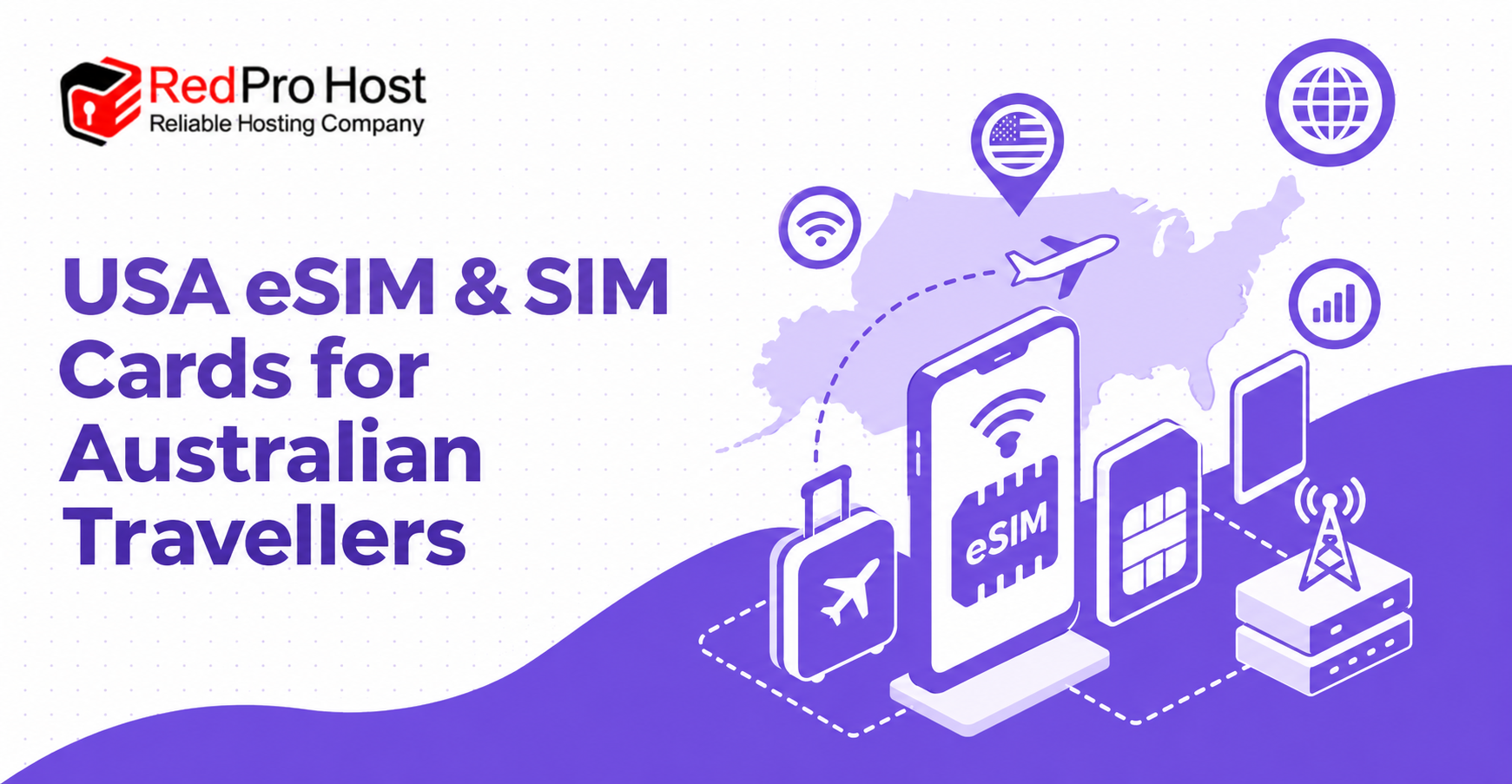
Staying connected in the United States is much easier when your mobile service is organised before departure. A prepaid USA eSIM or physical SIM card can provide fast mobile data, a real US phone number, and local calls and texts without relying on daily international roaming from an Australian carrier.
The right option depends on your phone, travel route, trip length, data use, and hotspot needs. Some plans prioritise unlimited data, while others include a fixed data allowance that can be shared at full speed. Network coverage also matters, particularly if your itinerary includes Alaska, Hawaii, Canada, Mexico, or rural parts of the United States.
This guide explains how USA travel SIMs work, compares the main plan types, and helps you choose a practical option before you fly.
Table of Contents
ToggleCompare USA eSIM and SIM Plans
USA travel plans are not all the same. The most useful comparison is not simply price versus data; it should also consider network, device compatibility, hotspot rules, destination coverage, plan duration, and whether the service includes a real US number.
The three common choices for Australian travellers are a T-Mobile unlimited plan, an AT&T plan with a fixed data allowance, and an AT&T unlimited plan. Each suits a different style of trip.
| Plan type | Best suited to | Data | Hotspot | Format | Important coverage notes |
| T-Mobile Unlimited | Most travellers, varied trip lengths, and heavy phone use | Unlimited 5G/4G data, subject to network terms | Included, but standard tethered speeds or available add-ons may vary | eSIM or physical SIM | Works in Hawaii; choose another option for Alaska |
| AT&T 12GB, 30GB or 50GB | Travellers who need a defined high-speed allowance or substantial hotspot use | Fixed 12GB, 30GB or 50GB allowance | Included data can generally be used for hotspot | eSIM | Works in Hawaii and Alaska; optional Canada and Mexico features may be available |
| AT&T Unlimited | iPhone users seeking broad coverage and premium inclusions | Unlimited 5G/4G data, subject to plan terms | A defined high-speed hotspot allowance may apply | eSIM | Works in Hawaii and Alaska; selected Canada and Mexico use may be included |
Always check the current product terms before ordering. Network policies, handset requirements, hotspot allowances, international inclusions, and available durations can change.
T-Mobile Unlimited
A T-Mobile unlimited plan is a strong all-round choice for travellers who want to use maps, social media, messaging, video, rideshare apps, and general browsing without monitoring a small data allowance. It is commonly available for a wide range of trip lengths, making it useful for short holidays as well as longer stays.
This option can work with compatible iPhones and many modern Samsung Galaxy, Google Pixel, Oppo, Motorola, Xiaomi, and other Android phones. An eSIM is convenient for compatible devices, while a physical SIM is useful when a phone does not support eSIM or the traveller prefers a removable card.
T-Mobile service is suitable for travel across much of the continental United States and Hawaii. It is not the preferred choice for an Alaska itinerary, so travellers visiting Alaska should consider an AT&T-based plan. Hotspot access may be included, but tethered devices can be subject to different speed rules from data used directly on the phone.
AT&T 12GB, 30GB and 50GB
An AT&T plan with a fixed allowance is well suited to travellers who want predictable high-speed data and intend to use their phone as a hotspot. Rather than choosing unlimited phone data with separate tethering restrictions, users can select an allowance that reflects the total amount they expect to consume.
The smaller allowance can be enough for maps, messages, email, bookings, occasional browsing, and light social media use. Larger allowances are more practical for frequent hotspot use, remote work, video calls, media uploads, or sharing data with a laptop or tablet.
These plans can support compatible iPhones and selected modern Android phones. They are particularly useful for itineraries that include Alaska because AT&T coverage is available there as well as in Hawaii. Depending on the current plan terms, calls to Australian numbers or optional Canada and Mexico coverage may also be available.
AT&T Unlimited
An AT&T unlimited plan is a premium option for compatible iPhone users who want extensive phone data and coverage in both Hawaii and Alaska. It can also be attractive for a multi-country North American itinerary when the selected plan includes service in Canada or Mexico.
Although the phone data is described as unlimited, hotspot use normally has its own defined allowance. Travellers planning to work from a laptop or share data with other devices should confirm that allowance before buying rather than assuming all unlimited phone data can be tethered at full speed.
Compatibility is narrower than with some other options, so the exact iPhone model, eSIM capability, network-lock status, and US network support should all be checked before purchase.
Which USA Travel Plan Should You Choose?
The best plan is the one that fits the practical details of your trip. Start with your destination and phone, then compare duration, data habits, hotspot requirements, and whether you prefer an eSIM or physical card.
Choose a T-Mobile unlimited plan when you want flexible trip lengths, broad device compatibility, unlimited data on the phone, and either an eSIM or physical SIM. It is a natural option for many holidays within the continental United States and Hawaii.
Choose an AT&T fixed-data plan when you need Alaska coverage, expect to use a considerable amount of hotspot data, or prefer a known high-speed allowance. A larger allowance may be worthwhile for business travel, video calls, or regular laptop use.
Choose an AT&T unlimited plan when you have a compatible iPhone, want extensive phone data, and need AT&T coverage or selected Canada and Mexico inclusions. Confirm the hotspot allowance and supported destinations before ordering.
Families and groups can also consider using more than one network. If travellers split their plans between T-Mobile and AT&T, one phone may retain coverage where the other network is weaker. This does not guarantee service in remote areas, but it can add useful flexibility during a road trip.
Why Choose a USA eSIM With a US Number?
Many international travel eSIMs provide data only. That can be sufficient for web browsing, maps, WhatsApp, and other internet-based services, but it does not provide a standard US mobile number for calls or SMS messages.
A real US number is useful when a hotel, tour operator, airline, restaurant, rental-car company, or delivery service needs to contact you. It can also help with restaurant waitlist texts, baggage reports, local bookings, roadside assistance, travel forms, and calls to businesses that do not offer internet messaging.
Local calls and texts make it easier for travel companions to contact one another without depending entirely on messaging apps. Family and friends in Australia can also reach the US number, although their carrier may charge international calling or texting rates.
A US number should not be treated as a guaranteed solution for every verification service. Banks, payment platforms, and other companies may reject prepaid or newly issued numbers. It is wise to keep access to your Australian number for one-time passwords when possible.
eSIM or Physical SIM: Which Is Better?
Both formats can provide the same core mobile service, but the setup experience is different. An eSIM is installed digitally, whereas a physical SIM must be inserted into the phone.
Benefits of Choosing an eSIM
An eSIM is usually the fastest and most convenient option for a compatible phone. Delivery is electronic, so there is no postage delay, and the Australian SIM can often remain inside the device.
Keeping both services installed can make it easier to receive messages on the Australian number while using the USA line for mobile data, calls, and texts. However, roaming must be configured carefully to prevent unexpected Australian carrier charges. The USA line should generally be selected for cellular data, and data roaming on the Australian line should be switched off unless it is intentionally needed.
An eSIM is also helpful for last-minute travel because it can be ordered without waiting for a parcel. Installation should still be completed according to the supplied instructions, preferably while a reliable Wi-Fi connection is available.
Benefits of Choosing a Physical SIM
A physical SIM is the practical choice when a compatible phone does not support eSIM or when the traveler is more comfortable inserting a card. It can also be useful for devices that allow only one active eSIM or have model-specific eSIM restrictions.
Because the Australian SIM must usually be removed, it should be stored safely for the return journey. Removing it also means standard calls and SMS messages sent to the Australian number will not arrive until that SIM is reinserted, unless the device supports another arrangement.
Physical cards need time for postage. Travellers should order early enough to allow for dispatch, delivery delays, setup, and any compatibility questions before departure.
Check Phone Compatibility Before Ordering
Compatibility is one of the most important checks because an eSIM or SIM card cannot correct a network-locked or unsupported phone. A modern device may still have different specifications depending on the country in which it was sold.
First, confirm that the phone is network unlocked. On an iPhone, open Settings, select General, then About, and look for Carrier Lock or Network Provider Lock. A message such as No SIM restrictions indicates that the device is unlocked. Android steps vary, so the carrier or phone seller may need to confirm its status.
Next, check for eSIM support if choosing digital delivery. Dialling *#06# may display an EID, which indicates that the phone has eSIM capability. You can also look in the mobile or cellular settings for an option such as Add eSIM. Some phones made for particular markets, including certain mainland China variants, may not support eSIM even when the international version of the same model does.
Finally, confirm that the exact model supports the required US network bands and plan conditions. Do not rely only on the product family name. A 5G model and a 4G-only version can have different compatibility, even if their names look nearly identical.
How a USA eSIM or SIM Card Works
The process is straightforward when the phone and plan are checked in advance. The key is to separate ordering, installation, activation, and network connection because they may not happen on the same day.
Step 1: Compare and Order Your Plan
Select a plan based on your phone, destinations, travel dates, data needs, and hotspot use. Check whether Alaska, Hawaii, Canada, or Mexico is part of the itinerary and choose the network accordingly.
Read the plan inclusions and limitations before paying. In particular, confirm the service duration, activation procedure, eSIM or physical SIM format, tethering allowance, cancellation terms, and what happens if the phone is incompatible.
Step 2: Install the eSIM or Insert the SIM
For an eSIM, follow the installation instructions carefully while connected to stable Wi-Fi. Do not delete the eSIM after it has been installed unless support specifically instructs you to do so, as many eSIM profiles cannot simply be downloaded again.
For a physical card, keep it in a safe place until the recommended installation time. Use the SIM tool supplied with the phone and store the Australian card securely after removing it.
Step 3: Submit the Activation Details
Some prepaid travel services require a separate activation request after the order is placed. This request may ask for the preferred start date, phone details, order number, or SIM information.
Submit the request within the recommended timeframe and check all dates carefully. The selected activation date may be based on a US time zone, so confirm how Day 1 and the final day are calculated. Keep the confirmation and setup instructions accessible offline.
Step 4: Connect After Arriving in the USA
On arrival, select the USA line for cellular data and follow the instructions for roaming, network selection, or APN settings. Restarting the phone can help it register on the local network.
Test data, a standard call, and an SMS message while Wi-Fi is still available. If the service does not connect, review the setup steps before changing settings at random. Contact support promptly and provide the order number, phone model, location, error messages, and screenshots where possible.
eSIM Delivery and Physical SIM Postage
Delivery time can determine which format is practical. An eSIM is sent electronically, while a physical SIM must be dispatched and delivered before departure.
Electronic delivery can be suitable for travellers leaving soon, but it is still wise to order before the final day. The provider may need to verify handset information or prepare activation details, and installation is less stressful when there is time to ask questions.
Physical SIM cards dispatched from Australia can generally be sent by standard or express post. Standard delivery is best for travellers ordering well in advance, while express delivery may be more suitable when departure is close. Postal estimates are not guarantees, particularly for regional and remote destinations.
Whichever format you choose, do not wait until boarding to read the instructions. Check compatibility, save the activation information, and understand which mobile settings will need to change after landing.
USA Coverage, Hawaii and Alaska
No mobile network provides perfect coverage everywhere. Signal strength varies with location, terrain, buildings, weather, local congestion, handset bands, and network maintenance.
T-Mobile is a useful choice across many populated parts of the continental United States and Hawaii. AT&T is generally the relevant option among these plans for travellers visiting Alaska, and it also serves Hawaii. Remote highways, national parks, mountains, deserts, and sparsely populated regions can have limited or no service on either network.
Before a road trip, check the appropriate prepaid coverage map for the actual destinations rather than looking only at statewide coverage. Download offline maps, hotel details, tickets, and essential contact information before travelling through remote areas. Mobile coverage should not be the only safety plan for wilderness travel.
Hotspot and Mobile Data Use
Hotspot rules can be more important than the headline data allowance. A plan may include unlimited data on the phone while limiting the amount or speed available to a connected laptop, tablet, or another phone.
For light use, such as checking email or opening a booking on a laptop, a standard hotspot feature may be enough. Remote work, cloud backups, software downloads, video meetings, and streaming can consume data quickly and require a larger high-speed allowance.
Reduce unnecessary consumption by disabling automatic app updates, photo backups, and system downloads over mobile data. Video quality can also be lowered, and large files can be downloaded over trusted Wi-Fi. Travellers using a fixed allowance should monitor usage in the phone settings, allowing for the fact that the network’s measurement may differ slightly.
Australian Roaming vs a USA eSIM or SIM
Australian international roaming is convenient because it keeps the usual phone number and requires little setup. It can be reasonable for a very short visit, an airport stopover, or a traveller who expects minimal use.
A prepaid USA service often provides better value for a longer trip or heavier data use. It can include a local number, local calls and texts, and a defined upfront cost instead of a daily roaming charge. The trade-off is that the traveller must check compatibility, complete setup, and manage two numbers if the Australian line remains active.
Compare the total cost for the entire trip rather than only the daily price. Also compare high-speed data limits, hotspot rules, call inclusions, coverage, and what happens after any fair-use threshold is reached.
Keep Your Australian Number Available Safely
Access to an Australian number can still be important for bank messages, account verification, family contact, and services linked to that number. Dual-SIM phones make it possible to keep both lines installed, but the settings require attention.
Set the USA line as the default for cellular data while in the United States. Turn off data roaming for the Australian line unless you understand and accept the charges. Check which line will be used before making a call or sending a standard SMS, as the phone may remember a previous contact preference.
Receiving an SMS overseas may be free on some Australian services, but this should be confirmed directly with the carrier. Calls, outgoing messages, voicemail diversions, and accidental data use can have different charges.
Common USA eSIM and SIM Questions
These answers cover the practical questions most travellers ask before buying. Exact inclusions still depend on the selected plan and phone, so current terms should always take priority.
Will My Apps, Contacts and Photos Change?
Installing an eSIM or replacing a physical SIM does not normally delete apps, photos, contacts, email, or other stored content. Those items remain on the phone or in the connected cloud account.
Messaging apps should also remain installed. WhatsApp may ask whether you want to change the registered number; travellers who want to keep their Australian WhatsApp identity can usually choose not to change it.
When Does the Plan Start?
The start time depends on the activation process rather than necessarily beginning at the moment of purchase. Some services activate on a date selected after ordering, while others begin when the eSIM first connects to a supported network.
Check the instructions for the exact plan. Confirm the relevant US time zone and whether a partial first day counts as Day 1, especially when arriving late at night.
Can the Plan Be Extended or Recharged?
Some short-term travel plans cannot be extended or recharged. If the trip changes, it may be necessary to purchase another eSIM or plan for the additional days.
Choose a duration that covers the whole trip, including the arrival and departure dates. Travellers with uncertain plans should check extension rules before buying rather than assuming extra days can be added later.
Can I Use WhatsApp and FaceTime?
WhatsApp, FaceTime, and similar apps work over mobile data or Wi-Fi on compatible devices. Existing contacts and conversations can normally remain linked to the Australian number even while USA mobile data is being used.
These apps are useful for contacting people in Australia without making an international cellular call. Their performance depends on the available data connection.
Will the Service Work in Canada or Mexico?
Canada and Mexico access depends on the selected plan or add-on. Some plans include a defined allowance, while others require an optional feature or do not support use outside the United States.
Confirm data, call, text, hotspot, and roaming terms separately. A plan that includes one type of service in Canada or Mexico may not include every feature available in the USA.
Can I Use the US Number Before Leaving Australia?
A USA travel SIM generally needs to connect to a supported US network and may not provide service on Australian mobile networks. Do not purchase one solely to receive US verification messages while remaining in Australia.
If the number is needed shortly before departure, ask how early activation works and whether it affects the paid plan duration. The service may still remain unusable until the phone reaches a supported destination.
What Should I Do When the Trip Ends?
A physical travel SIM can be removed after the trip and the Australian SIM reinserted. An eSIM can be switched off in the phone settings and deleted when it is clear that it is no longer needed.
Do not delete the eSIM during the active trip merely to troubleshoot it. Deletion can be permanent, and a replacement profile may not be available. Keep receipts and plan details until the service period and any support issue have concluded.
Tips for a Smooth Connection in the USA
A few preparations can prevent most avoidable problems. Complete these checks while there is still time to contact the seller or Australian carrier.
- Confirm that the phone is unlocked and compatible with the exact plan.
- Choose AT&T rather than T-Mobile when Alaska coverage is required.
- Check whether the plan includes Hawaii, Canada, or Mexico where relevant.
- Understand the difference between phone data and high-speed hotspot data.
- Save the installation and activation instructions for offline access.
- Record the order number and support contact details.
- Download offline maps before driving through remote areas.
- Disable data roaming on the Australian line to prevent accidental charges.
- Test mobile data, calls, and texts soon after arrival while Wi-Fi is available.
- Ask for help before deleting an eSIM or repeatedly changing network settings.
Choose Your USA eSIM or SIM
Start by checking whether your phone is unlocked, supports eSIM, and works with the required US network. Then match the plan to the trip: T-Mobile unlimited for flexible durations and broad device choice, AT&T fixed data for high-speed hotspot use, or AT&T unlimited for compatible iPhones and broader destination coverage.
An eSIM is usually the simplest option for a compatible phone and a departure date that is close. A physical SIM remains useful for unsupported devices or travellers who prefer a traditional card. In either case, review the activation procedure, coverage, hotspot conditions, and refund terms before paying.
Conclusion
USA eSIM and SIM cards give Australian travellers a practical alternative to daily international roaming. The strongest plans combine reliable mobile data with a real US number, local calls and texts, and setup that can be organised before departure.
There is no single best plan for every traveller. Your phone, destinations, trip length, data use, and hotspot requirements should guide the decision. Check compatibility first, choose the correct network for the route, read the plan-specific limits, and complete the setup instructions before flying. With those details handled early, you can land ready to use maps, bookings, rideshare apps, messages, and calls throughout your trip.